




AI video script generators streamline the idea-to-script workflow so creators spend minutes refining concepts instead of hours writing drafts — and teams scale output without hiring more writers. This piece explains how automation speeds workflows, why the “10x faster” claim is realistic for many formats, and which tools—templates, batch generation, and model-driven drafting—deliver the biggest wins. We’ll outline common bottlenecks, show how AI achieves time savings, walk through Syllaby’s core features and integrations, and finish with industry templates, time-and-cost comparisons, and a hands-on guide to your first script. Along the way you’ll find concrete examples, short templates for YouTube and social clips, and clear steps to start producing publish-ready scripts quickly using modern AI workflows and best practices.
What Challenges Does Traditional Video Script Writing Present?

Traditional video scriptwriting is a multi-step chain — research, outline, draft, revisions, approvals — and each step adds time before a piece can go live. Manual workflows create inconsistencies in tone and structure when multiple creators or agencies work together, which leads to extra revision rounds and uneven brand voice. Those constraints make scaling costly and slow, especially when teams try to keep a steady cadence across platforms like YouTube and TikTok. Seeing these pain points makes it clear: automation isn’t just a convenience, it’s a structural efficiency that modern content teams need.
The most common pain points in manual script production are:
- Research and idea validation that can take hours before a single line is written.
- Repeated draft-and-review cycles between writers, editors, and stakeholders.
- Writer’s block and inconsistent tone that push back publishing schedules.
These issues compound over weeks. Removing even one bottleneck shortens time-to-publish and frees teams to focus on strategy and distribution instead of rewriting.
Why Is Manual Scriptwriting Time-Consuming and Inefficient?
Manual scriptwriting is slow because it’s split into discrete phases—topic research, outline creation, drafting, voice/tone alignment, and stakeholder revisions—each adding waiting time and handoffs. For example, research can take 60–120 minutes, outlining 30–60 minutes, and drafting another 60–180 minutes before revisions start. Collaboration layers in review queues and version-control friction, stretching a single script across multiple hours or days. Streamlining any of these phases—especially outlines and first drafts—yields outsized time savings across a content calendar.
Those inefficiencies also hide real costs: missed topical windows, fewer tests, and friction when repurposing long-form ideas into short clips. Replacing manual outlining and first-draft work with automated equivalents targets the hours where teams lose the most productivity and generates the biggest gains.
How Does Writer’s Block Affect Video Content Creation?
Writer’s block disrupts output because teams spend too much time ideating and not enough time producing, which derails publishing schedules and reduces overall volume. When ideation stalls, teams either delay work or push weaker drafts into production — both hurt engagement and testing. Templates, prompts, and idea banks help, but they still require manual composition for every variant. AI-powered idea discovery and template-driven outlines remove the blank-page barrier with context-aware suggestions, letting creators move straight into refinement.
Once ideation stops being the bottleneck, you can experiment more: test hooks, CTAs, and formats faster. That higher cadence generates better data, speeds optimization, and improves performance across channels.
How Does an AI Video Script Generator Accelerate Script Writing?
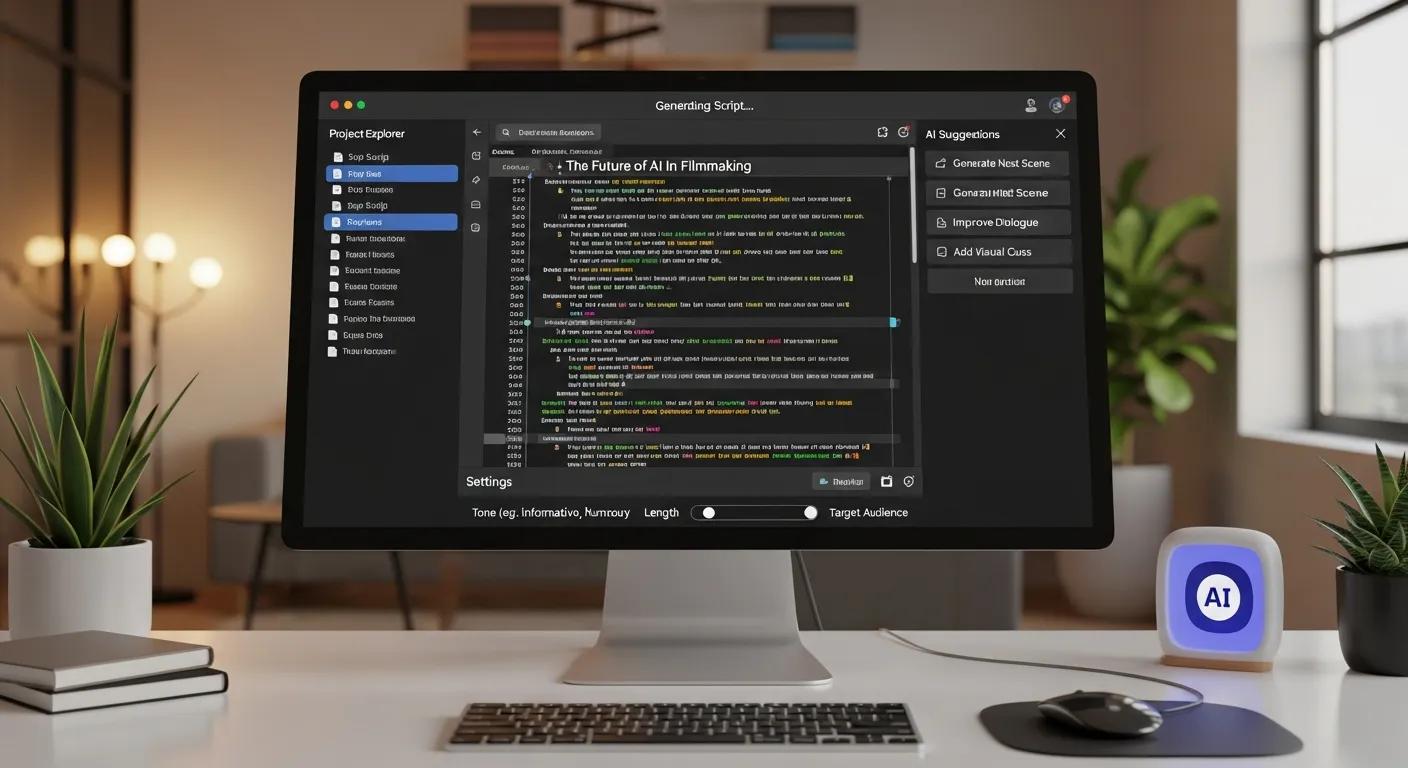
An AI video script generator speeds writing by automating idea discovery, producing structured outlines, and generating coherent first drafts that usually need only light edits — turning a multi-hour job into minutes of refinement. The pipeline is simple: prompt → outline → draft → refine. Each step uses model-driven templates and parameter controls for tone, length, and format. Because AI can batch-create variants, teams can produce multiple scripts for A/B tests or platform-specific edits without starting over. Integrations with publishing and avatar tools shorten the handoff to production and compress end-to-end time dramatically.
A typical AI-enabled workflow looks like this:
- Generate five distinct angle ideas from a brief in seconds.
- Auto-create structured outlines for each angle with timestamps and visual cues.
- Produce a first-pass script for the chosen outline that needs only light edits.
This frees creators to focus on direction, measurement, and iteration instead of manual drafting, making a predictable, high-volume production rhythm possible.
What Features Enable AI to Generate Scripts 10x Faster?
Key features that drive speed include template-led outline generation, batch creation for many scripts at once, tone and length controls to match formats immediately, and export options for different platforms. Templates give you a ready structure; batch generation produces dozens of variants in the time it once took to write one. Direct exports and integrations remove manual reformatting, compressing the pipeline further. With the right tools, a sixty-minute manual script session can become a six- to ten-minute generate-and-polish cycle.
Together these features turn a linear, labor-heavy process into a parallel, model-assisted workflow that favors iteration and distribution over single-draft perfection.
How Does AI Customize Scripts for Different Tones and Styles?
AI adapts tone and style using parameter controls—formal vs conversational voice, verbosity, CTA strength—applied to a base outline to produce variants that match brand voice and platform expectations. Tone presets speed brand alignment, while custom voice settings keep personality consistent across videos. One base script can be rewritten into promotional, informational, or casual tones, and length controls convert long-form scripts into short hooks for Reels or TikTok. That flexibility makes repurposing fast and preserves a consistent voice across formats.
As a result, creators maintain brand cohesion while tailoring messages to different audiences, increasing efficiency in multi-platform campaigns and reducing manual rewriting.
What Are the Key Features of Syllaby’s AI Script Generator?
Syllaby combines idea discovery, structured outline generation, automated drafting, and integrations that turn scripts into avatar-led or faceless videos — a faster path from concept to publishable media. Explore our tools for AI-powered video creation and social media management, and when you’re ready, subscribe to Syllaby. The platform includes template libraries for YouTube and short-form clips, batch script exports, voice-cloning options, and compatibility with modern text-to-video models — features that reduce manual work and speed production.
Key features and benefits include:
- Idea discovery and templates that shrink ideation time and boost creative throughput.
- Automated drafting that delivers ready-to-edit scripts for multiple formats.
- Voice cloning and model integrations that speed narration and localization.
- Social scheduling and multi-format exports that simplify the publish handoff.
| Feature | Attribute | Benefit |
|---|---|---|
| Idea Discovery | Template-led prompts | Cuts ideation from hours to minutes |
| Automated Drafting | Format-aware drafting | Creates editable scripts for short and long form |
| Voice Cloning | Brand voice replication | Stable, consistent narration across videos and locales |
This feature mix replaces manual touchpoints and converts single-script work into a scalable production system that supports frequent testing and fast iteration.
How Do AI Avatars and Faceless Videos Enhance Script Integration?
AI avatars and faceless templates map directly to script cues — on-screen text, pacing, and visual markers — letting one script drive multiple output styles without rebuilding content. Avatars attach spoken performance to script lines, while faceless templates turn voiceover and captions into dynamic short clips. That reduces dependence on on-camera talent and costly shoots, speeding production and lowering per-video cost. Using a single structured script as the source keeps messaging consistent across avatar, faceless, and caption-first formats.
Because one script can produce multiple deliverables, teams expand distribution with minimal extra work, increasing content ROI and enabling fast localization.
What Role Do Voice Cloning and Text-to-Video Models Play?
Voice cloning offers a consistent, brand-specific narration option that shortens time-to-voiceover and makes localization easier by producing uniform reads across languages. Advanced text-to-video models help assemble scenes and motion from script cues, creating rough-cut visuals that cut edit time. Tools like Synthesia, Pictory, and Runway vary in style and fidelity; choosing the right model balances speed against the visual polish your project needs. Ethical use — consent for voice cloning and transparency around synthetic performers — is essential to preserve trust while gaining efficiency.
Together, voice cloning and text-to-video engines replace time-consuming recording sessions and manual scene assembly with reproducible, scalable alternatives that keep brand continuity intact.
How Can Different Industries Benefit from AI Video Script Generation?
Different industries can adapt AI scripts to their funnels and platform formats, producing outputs that match buyer intent and channel behavior. Real estate teams, educators, and agencies benefit from templates that auto-fill field data, standardize CTAs, and support rapid A/B testing. Industry-specific templates cut per-video setup time and let teams experiment with creative variations while keeping messaging consistent. The result: higher throughput, faster learning, and lower marginal costs per asset.
Below is a practical mapping of industries to common use cases and the script elements that save time and increase relevance.
| Industry | Use Case | Key Script Elements |
|---|---|---|
| Real Estate | Listing tours and neighborhood highlights | Property details, feature-driven CTAs, pacing cues |
| Marketing Agencies | Campaign assets and A/B tests | Angle variants, headline hooks, testable CTAs |
| Education | Micro-lessons and course previews | Learning objectives, clear steps, engagement prompts |
This mapping shows how tailored templates and auto-fill features cut repetitive work while keeping the elements that drive viewer action in each industry.
How Does AI Script Generation Support Real Estate Video Tours?
For real estate, AI scripts can auto-populate property attributes — bedrooms, price range, standout features — and generate walk-through narration and CTAs for short tours or full walkthroughs. Templates enforce a consistent agent voice and structure across listings, enabling teams to publish new listing videos the same day a property goes live. That reduces the need to schedule in-person shoots and makes virtual staging, avatar narration, or caption-first clips available faster, improving listing time-to-market and visibility windows.
These efficiencies let brokers and agents publish more listings with consistent quality, directly boosting lead flow and property exposure without growing production costs.
What Are the Advantages for Marketing Agencies Using AI Scripts?
Agencies can use batch generation and variant templates to produce multiple creative angles quickly, enabling rapid A/B tests and iterative optimization. A single client brief can turn into dozens of script variants in one session, allowing agencies to test hooks, CTAs, and tonal shifts across platforms. That higher throughput lowers per-video costs while improving campaign learnings, because agencies can scale winning creative without a proportional increase in writing resources.
This speed shortens campaign cycles, improves performance outcomes, and gives agencies a competitive edge: move from concept to test in hours, not days.
How Does Using Syllaby’s AI Script Generator Save Time and Costs?

An AI-driven platform replaces many manual tasks — ideation, outline drafting, first-pass scripts, and basic localization — so teams shorten time-to-publish and reduce dependence on outside agencies for routine assets. By automating repeatable steps and enabling batch outputs, Syllaby lets creators reallocate human effort toward high-impact creative direction and optimization. Compare representative workflows to see where minutes and dollars are saved through automation.
The table below compares traditional versus AI-enabled workflows for typical video types, showing estimated time and relative cost impact per asset.
| Workflow | Time to Produce (Traditional) | Time to Produce (AI-enabled) |
|---|---|---|
| Short social clip (15–30s) | 120–180 minutes | 10–20 minutes |
| YouTube explainer (5–10 min) | 4–8 hours | 45–90 minutes |
| Weekly campaign batch (5 variants) | 10–20 hours | 1–2 hours |
This comparison highlights how automated drafting and batch generation create multiplier effects on productivity, letting teams keep a steady publishing schedule with less budget pressure.
What Are the Time Savings Compared to Traditional Methods?
Manual scripts often require hours of combined work; AI-generated drafts compress that into minutes or an hour depending on complexity — savings that compound across weekly and monthly output goals. For example, producing five short social clips manually might take a full day; AI batch generation can cut that to an hour of prompt refinement and light edits. Those minute-level savings per asset add up to significant reclaimed time each month, enabling more tests, faster pivots, and better use of creative talent for high-value tasks.
These examples are conservative and focus on the drafting-to-ready-edit phase; adding avatar or text-to-video tools shortens the full production chain even more.
How Does AI Reduce the Need for Expensive Agencies?
AI automates many agency tasks — initial scripting, templating, and basic edits — so teams only outsource high-touch work like advanced editing, custom animation, or strategic creative direction. That selective outsourcing lowers per-video costs while preserving expert input where it matters most. Use a simple checklist to decide when to keep work in-house: volume, required polish, and the need for bespoke assets. For routine, high-volume content, AI often shifts the break-even point and makes in-house production more cost-effective.
By moving budget from repetitive writing to strategic creative development, organizations increase output and control while keeping access to specialized skills for complex work.
How Do You Get Started with Syllaby’s AI Video Script Generator?

Getting started is straightforward: provide a clear brief, pick the right template, and iterate on generated drafts to match your brand and platform. The typical flow is sign-up → idea input → template selection → generation → refinement → export — each step built to minimize rework and speed publishing. Below are focused steps to produce your first script and tips for publishing across major social platforms.
Follow these steps to generate and publish your first AI-powered script:
- Write a concise brief that names the target audience, desired CTA, and length.
- Pick a template that matches the format (short clip, walkthrough, explainer).
- Generate multiple outlines and choose the strongest angle.
- Create a draft, then tighten hooks, tone, and visual cues.
- Export for avatar or faceless video production and schedule the post.
What Are the Steps to Generate Your First AI Video Script?
Start with a one-line idea and two bullets that define the audience and the action you want viewers to take — a tight brief yields far better outputs than a vague prompt. Enter the brief into the generator, select tone and format presets, and request multiple angles to choose from. Edit the selected draft to sharpen hooks and CTAs, add visual cues and timestamps for production, then export in the required format and queue it for avatar rendering or caption-first clips.
These concrete steps remove friction and turn a blank page into a repeatable process that scales.
Automated Video Production Workflowfrom Textual Source Documents This disclosure outlines a multi-stage workflow for automated video production from text sources. A system can process source documents to generate a narrative audio track, which is then analyzed to produce a visual storyboard by identifying concepts and scenes. Generative tools may create multimedia assets — graphics and video clips — based on the storyboard. The produced audio and visual components are assembled into a final video. This integrated approach describes how text-to-video systems can reduce manual effort, shorten production time, and lower reliance on specialized skills. Automated Video Production Workflow Using Textual Source Documents, 2025
How Can You Publish and Schedule AI-Generated Videos on Social Media?
After export, adapt the script into platform-specific assets — short clips for Reels/TikTok, longer edits for YouTube, and caption-first variants for LinkedIn — while tailoring thumbnails and captions for each channel. Use scheduling to hit peak engagement windows, and chop long-form segments into multiple short clips to extend reach. Keep a publishing checklist that covers caption length, hashtag strategy, thumbnail clarity, and correct video ratio for each platform. Finally, monitor engagement and iterate on script angles and CTAs in subsequent batches to improve performance.
Explore Syllaby’s tools for end-to-end video creation and social media management, and subscribe when you’re ready to scale. This last step ensures your generated scripts become measurable content assets that drive continuous improvement.
If you need help getting started, you can reach the Syllaby team for support.
Frequently Asked Questions
What types of content can be created using an AI video script generator?
An AI video script generator can produce many content types: promotional spots, educational tutorials, short social clips, and explainer videos. With templates and automated drafting, you get scripts tailored to specific formats and audiences. That flexibility helps creators adapt messages for YouTube, TikTok, LinkedIn, and more — while keeping brand voice consistent.
How does AI video script generation impact collaboration among team members?
AI improves collaboration by cutting time spent on drafting and revisions. With automated outlines and first drafts, team members spend less time starting from scratch and more time refining. That reduces back-and-forth, speeds feedback loops, and helps teams produce better content, faster.
Can AI-generated scripts be customized for different audiences?
Yes. AI scripts are easily customized by adjusting tone, style, and focus. Set voice and messaging parameters to match audience preferences, then generate versions tuned to different segments. That makes it simple to produce targeted content that performs across platforms.
What are the cost benefits of using an AI video script generator?
AI cuts production costs by automating repetitive tasks like ideation, drafting, and basic editing, reducing time and external agency needs. That efficiency lets teams reallocate resources to strategic creative work and lowers the cost per video while increasing output.
How does AI video script generation support rapid content testing?
AI supports rapid testing by generating multiple script variants quickly for A/B tests. Batch generation produces many angles and formats fast, enabling immediate experiments with hooks, CTAs, and tones. This speed shortens learning cycles and helps teams discover what resonates sooner.
What industries can benefit the most from AI video script generation?
Many industries benefit — real estate, education, marketing, e-commerce, and more. Each can use tailored templates for listings, lessons, campaigns, or product promos. Automating script creation improves efficiency, keeps messaging consistent, and boosts engagement with target audiences.
How can users ensure the quality of AI-generated scripts?
Quality starts with a clear brief: define the audience, tone, and key message. Review and refine generated drafts to align with brand voice and platform requirements, and gather team feedback where needed. With that process, you keep high standards while taking advantage of AI speed.
Conclusion
AI video script generators dramatically improve productivity by simplifying the writing process so creators can focus on shaping ideas instead of drafting them from scratch. Automation saves time, preserves consistency, and supports multiple content formats — making it a practical tool for modern teams. Adopt these approaches to scale your video production, speed testing, and sharpen creative output. Start exploring Syllaby today to unlock faster, more consistent video production with AI.