




Black Friday Exclusive: Unlock Lifetime Access and claim a FREE Done For You month before Cyber Monday.

Ends in
00Days
:
00Hrs
:
00Min
:
00Sec

UGC ad generator.
A few takes, dozens of ads.

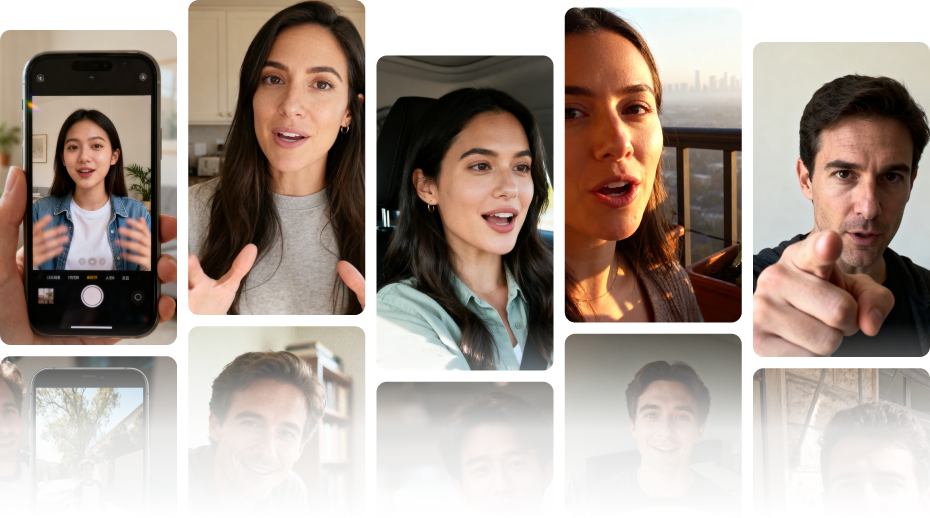
Record your hooks, your message and your closes once. Syllaby mixes every combination and burns the captions in.

As Featured In

Forbes
Business Insider
Yahoo! News
MarketWatch
WRAL TechWire
Futurepedia
Moz
MarketingProfs
GrepBeat
Product Hunt — #1 Product of the Day

Three takes in.
Twenty ads out.

You shoot a few clips once. Syllaby does the rest, in one batch.

You film three kinds of take

An opener, your message, and the ask. Six clips, shot once on your phone.

Every ad is one opener + your message + one ask

Syllaby joins them in that order and burns the captions in. That is one finished video.

Swap a part, get a different ad

Three openers against two asks is six ads already — the same message, opened and closed six different ways.

Then a caption style

Karaoke

Highlight

Fade

Bounce

Slide

Enlarge

Pick as many as you like — each one becomes its own video. Syllaby renders up to twenty at once.

Re-hook a video
you already made.

Point Syllaby at any finished video you own — rendered videos, plus AI, stock and uploaded clips. It listens to what the video says, then writes you five new openers: the line to say, and how to shoot it.

A video you already made

Morning routine

Five new openers, written from what it says

I replaced four steps with one.

Shoot it: hold the product up, then set it down mid-sentence

This is what my mornings looked like a month ago.

Shoot it: start on the messy counter, then pan up to your face

Nobody told me it takes forty seconds.

Shoot it: talk while you actually use it, no cuts

I was ready to send it back.

Shoot it: open flat and deadpan, hold eye contact for a beat

Three things I got wrong about this.

Shoot it: count them on your fingers as you say it

Film the five you like. The old video stays on as the body, so you never reshoot it.

Everything else
it does.

A board before you shoot

Describe the product and Syllaby fills a hook, body and CTA board — every line with a filming direction, plus a checklist of the b-roll you still need.

Six caption styles

Karaoke, Highlight, Fade, Bounce, Slide and Enlarge. Pick as many as you like — each one becomes its own variation.

Shoot on your phone

Scan the code and your phone becomes the camera — no app to install, no sign-in. Or drop in MP4, MOV or WebM files up to 2GB.

Trimmed and transcribed for you

Every take is normalised, trimmed and transcribed on upload, so the captions are written before you build anything.

Four steps.
Twenty ads.

01

Start a project

Open a blank project and film everything fresh, or point Re-Hook at a video you have already made and build around that instead.

02

Add your takes

Film the three parts separately — the hooks that open, the body that carries the message, the closes that ask. Record on your phone or upload the files.

03

Build your matrix

Tick the takes you want mixed and the caption styles to apply. Any role you leave empty is simply left out. Up to twenty variations in a batch.

04

Render and publish

Each variation renders on its own. Download the ones that work or publish them straight to your channels — then Insights ranks your hooks by how they actually performed.

05

Check the script

Every segment is editable before anything is filmed, with a word count against the clip length.

06

Watch it film

A shot for each segment, filmed in order and cut into one video. Any character, any setting.

What are you
making?

Different goals, the same handful of takes.

Hook tests

One message, many openings

Creator ads

Several creators, one offer

Product demos

The demo, framed many ways

Testimonial cuts

Real words, many edits

Offer swaps

Same ad, a new close

Everything below
was made with this.

Karaoke

Coffee brand · Karaoke

Highlight

Headphones · Highlight

Fade

Skincare · Fade

Bounce

Drinkware · Bounce

Slide

Supplements · Slide

Why Our Customers Are Over the Moon 🌕!

Your first episode is one topic away.

Two hosts, one topic, no microphone.

UGC Studio questions

What it makes, what you need to film, and how it works inside Syllaby.
Syllaby UGC Studio showcase

It turns a handful of recordings into a batch of finished ads. You film your hooks, your message and your closes separately; Syllaby crosses them, burns in captions and renders each combination as its own video.

It turns a handful of recordings into a batch of finished ads. You film your hooks, your message and your closes separately; Syllaby crosses them, burns in captions and renders each combination as its own video.

It turns a handful of recordings into a batch of finished ads. You film your hooks, your message and your closes separately; Syllaby crosses them, burns in captions and renders each combination as its own video.

It turns a handful of recordings into a batch of finished ads. You film your hooks, your message and your closes separately; Syllaby crosses them, burns in captions and renders each combination as its own video.

It turns a handful of recordings into a batch of finished ads. You film your hooks, your message and your closes separately; Syllaby crosses them, burns in captions and renders each combination as its own video.

It turns a handful of recordings into a batch of finished ads. You film your hooks, your message and your closes separately; Syllaby crosses them, burns in captions and renders each combination as its own video.

It turns a handful of recordings into a batch of finished ads. You film your hooks, your message and your closes separately; Syllaby crosses them, burns in captions and renders each combination as its own video.

It turns a handful of recordings into a batch of finished ads. You film your hooks, your message and your closes separately; Syllaby crosses them, burns in captions and renders each combination as its own video.

Still have questions?

Contact our support team