






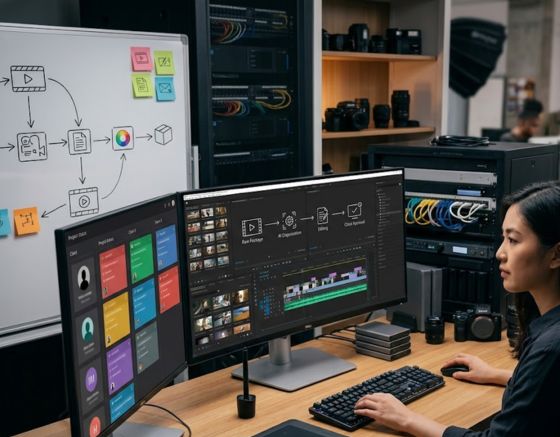
Agencies can easily scale their digital content production for dozens of active brands by establishing a highly structured, automated video asset system. Developing a comprehensive AI Video Workflow End to End is the single most effective way to eliminate bottlenecks, reduce production timelines by eighty percent, and maintain perfect creative control over every single campaign. By standardizing each phase from asset organization to final rendering, your creative directors can step away from repetitive editing duties and focus entirely on high-level growth strategies.
Modern creative firms face a relentless demand for high-volume, premium social content. Managing local businesses alongside international brands requires producing daily video assets, which quickly exhausts even the most efficient creative departments. Traditional setups relying on physical camera crews, manual writers, and human editors simply cannot scale when multiplied across ten or twenty different client contracts. This comprehensive guide reveals how to construct a streamlined production pipeline that keeps your margins incredibly high while keeping your clients thoroughly satisfied.
The Core Elements of Client Video Production Automation

Before introducing automated tools into your system, your agency must design a foundational structure that organizes client assets. Standardizing onboarding and centralizing asset organization prevents chaos when scaling your operations. A disorganized library will only cause automation tools to generate mismatched visual styles.
Standardizing Brand Asset Organization
A successful production system relies heavily on automated database structures rather than messy, manual cloud directories. Your intake process must carefully capture the core essence of every client brand. Document unique selling propositions, approved messaging parameters, prohibited industry terms, specific brand colors, and detailed audience personas.
- Digital Brand Asset Folders: Store high-resolution logos, customized fonts, and visual overlays in cloud storage directories accessible by your automated tools.
- Target Audience Personas: Record age, localized interest profiles, and cultural expectations for each brand.
- Competitor Content Libraries: Keep examples of high-performing competitor materials to establish creative baseline expectations.
By maintaining organized folders, your automated systems can draw from correct creative ingredients without human intervention. This foundational step guarantees that all generated content aligns with the client’s identity.
Building Visual Style Sheets
Every brand has a distinct look that must remain consistent across all content platforms. Creating a standard digital sheet detailing approved color codes, caption layouts, and framing styles helps automated tools render matching assets.
These visual blueprints ensure your system applies consistent font weights and canvas placements for every video. Consistent imagery builds strong brand trust and helps your clients stand out in competitive digital feeds.
Building an AI Video Workflow End to End for Multi-Client Operations
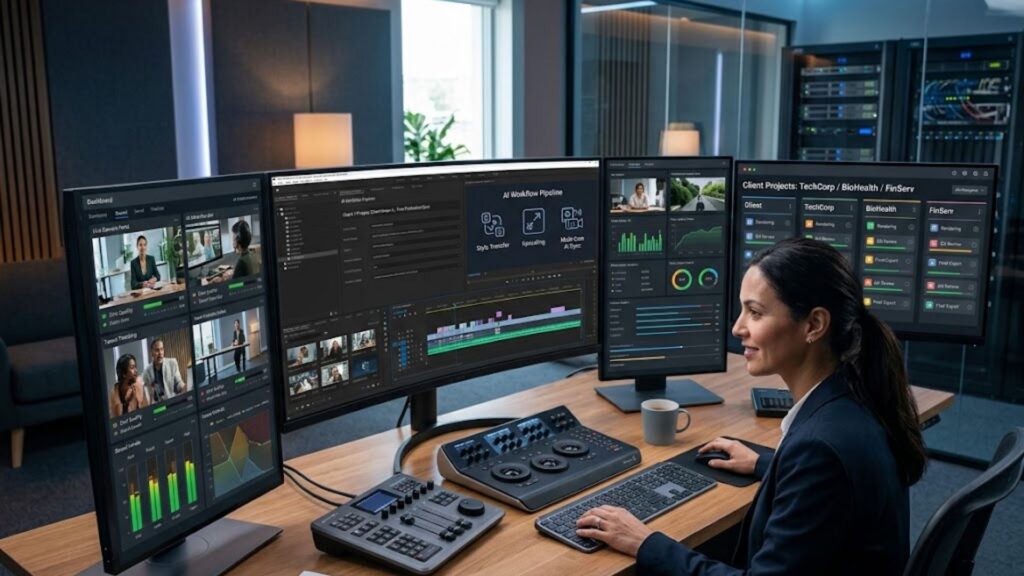
Implementing an AI Video Workflow End to End requires a structured system that bridges the gap between client request templates and final rendering engines. Rather than managing campaigns via disorganized emails or verbal chats, your agency must establish an input layout. This layout serves as the operational blueprint that powers your entire automation engine.
Standardized input layouts ensure your production pipeline receives the exact parameters needed for content generation. Using custom fields in your project database allows you to automatically feed topic parameters directly to creative production software.
Developing Your Intake Schema
An effective input system translates creative ideas into clear data points that computers can easily process. Your creative managers must fill out specific fields for every planned campaign to prevent errors downstream.
- Unique Client Identifier: Connects the project to the correct asset folder.
- Core Topic Hook: Defines the main theme of the video.
- Primary Call to Action: Explains exactly what the viewer should do next.
- Target Platform Selection: Determines the aspect ratio and pacing of the asset.
Once a project manager populates these fields, automated database triggers can instantly start the next production step. This automated handoff saves hours of communication and ensures your production queue never stalls.
Project Management Integration
Connecting database updates directly to generation software keeps your team perfectly aligned. When a task status changes from ideation to production, background programs should automatically send creative briefs to your video generation engines.
Using the Syllaby AI platform allows your team to easily bridge the gap between creative planning and actual visual rendering. This streamlined setup reduces administrative task hours and lets your writers focus on refining concepts.
Scaling Ideation and Scriptwriting Across Diverse Niches

Pre-production has always been a painful bottleneck for busy marketing agencies. Creating dozens of unique scripts for completely different business sectors requires massive mental effort and hours of industry research. By leveraging automated research systems, your team can completely bypass writer’s block and keep your clients’ calendars full of fresh, engaging topics.
Utilizing Data-Driven Topic Research
Developing custom content calendars across diverse industries requires analyzing real audience queries. Automated systems scan consumer discussions, search queries, and industry trends to find highly engaging topics. This approach replaces creative guesswork with actual market data.
By finding the exact questions your client’s customers are searching for online, you can plan educational and helpful content. Addressing these queries directly builds massive authority for your clients and keeps viewers engaged.
Structuring Scripts for Maximum Viewer Retention
Once you select your campaign topics, you must turn them into high-converting scripts. Different social networks require unique pacing, hook lengths, and structures. Using an automated script writing assistant helps you craft scripts with high-impact hooks, helpful body points, and clear calls to action.
- The Opening Hook (0-3 Seconds): Grab consumer attention with a surprising fact or a direct question.
- The Core Value Delivery (3-25 Seconds): Provide actionable tips supported by clean visual overlays.
- The Closing Call to Action (25-30 Seconds): Guide viewers directly to a custom landing page or link.
Using highly detailed scripting guides for digital creators allows your agency to produce engaging scripts that match specific compliance guidelines. This consistent structure minimizes script revisions and keeps your production pipeline moving forward.
Streamlining Content Generation with Virtual Presenters and Synthetic Audio
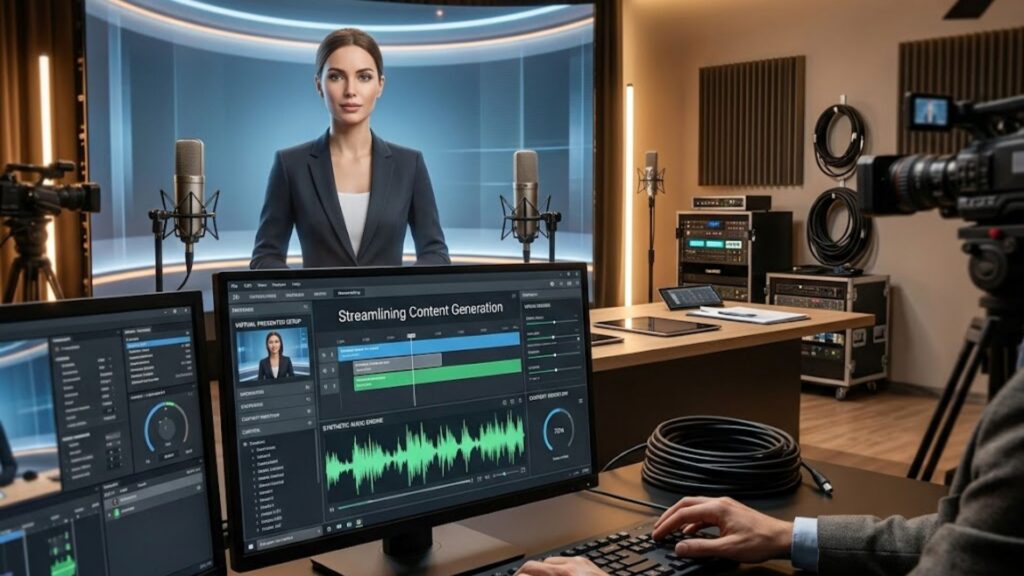
Generating professional video assets traditionally required costly physical sets, professional camera setups, and complex audio recording gear. By shifting your production process to digital rendering engines, your agency can build scalable content systems that generate hundreds of videos without booking a single studio session.
Choosing the Right Virtual Avatars
Virtual presentation software has completely transformed how agencies deliver client messages. High-definition avatars can deliver scripts in multiple languages with realistic movements and expressions. This technology lets you generate video assets without scheduling complex studio shoots.
- Custom Spokesperson Avatars: Create a digital twin of your client’s face and voice to maintain brand authority over time.
- Diverse Global Casts: Select from a wide variety of virtual actors to match your target audience’s demographics.
- Flawless Delivery: Digital actors deliver scripts perfectly every single time, saving hours of retakes.
This advanced presentation technology allows your agency to scale your output without skyrocketing your talent costs. Your team can run multiple campaigns in parallel with minimal production overhead.
Multilingual Voice Cloning and Localization
Expanding client campaigns into global markets used to require expensive local translation agencies and voice talent. Modern audio systems can clone a spokesperson’s voice and translate scripts into dozens of languages while preserving the original vocal characteristics.
This localization strategy allows you to reach new international audiences at a fraction of the traditional cost. Generating natural, localized voiceovers ensures your client’s message remains highly authentic and engaging across different global markets.
Automating Post-Production and Visual Enhancements
Generating raw video files is only half the battle. To win the battle for consumer attention, social media video assets require engaging edits, including text overlays, background tracks, and transitions. Automating these repetitive post-production tasks preserves your team’s creative energy for final polish and style adjustments.
Automated Captions and Kinetic Typography
Since most social media users watch videos with the sound turned off, adding engaging captions is absolutely essential. Manually transcribing audio and syncing text can take hours of tedious work. Modern automated editing platforms can transcribe voiceovers and generate animated captions in seconds.
These automated caption engines can be programmed to use your client’s exact brand colors and font selections. Highlighting key words with contrasting colors keeps viewers highly engaged and emphasizes the core marketing message.
Intelligent B-Roll Selection and Transitions
To prevent visual boredom, video assets must include dynamic background graphics and relevant B-roll clips. Intelligent editing software can analyze script text and automatically add matching secondary footage or smooth transition effects.
| Production Methodology | Delivery Speed | Quality Control Risk | Recommended Agency Fit |
| Fully Manual Production | Extremely slow and heavy | Very low due to continuous manual checks | High-budget, bespoke campaigns |
| Ad-Hoc Assisted Generation | Moderate but disorganized | High due to inconsistent prompting styles | Short-term test campaigns |
| Structured System Automation | Ultra-fast and highly predictable | Controlled via systematic review steps | Multi-client scale operations |
By integrating automated stock footage libraries, your rendering systems can fetch high-quality graphics that perfectly support what your virtual presenter is saying. This automated post-production phase ensures your videos look polished and professional.
Establishing Robust Quality Assurance and Approval Gates
While automation drastically increases speed, minor errors or misaligned brand guidelines can still occur. To protect your agency’s professional reputation, you must build a robust review pipeline. This is where your human editors provide essential quality checks before content goes live.
The Human in the Loop Quality Check
Never allow automated systems to publish directly to a client’s public profile without human approval. Appoint a dedicated quality manager to review every single generated file for pronunciation issues, visual glitches, or branding errors.
Focusing on the final ten percent of the process allows your quality managers to adjust minor visual details, such as font sizes or audio levels. If you need help building this collaborative quality step, you should contact our specialist support team to learn about agency system design.
Centralized Client Feedback Portals
To manage multiple accounts efficiently, you need a clear feedback platform. Avoid sending raw files over scattered email chains or messaging channels. Use collaborative portals that let clients leave precise, time-stamped feedback directly on the video timeline.
- Time-Stamped Revisions: Clients can click on any frame to type clear adjustment notes.
- Single-Click Approvals: Once satisfied, the client approves the video, which automatically schedules it for publishing.
- Automatic Status Tracking: If a client requests changes, the system automatically flags the file for editing.
This structured review portal builds immense client trust and completely eliminates chaotic approval delay cycles.
Programmatic Distribution and Automated Social Scheduling
The final stage of your automated pipeline is distribution. Once a video receives client approval, it needs to reach the correct platforms with optimized titles, engaging descriptions, and relevant tags. Automating this step ensures your campaigns launch on time without manual effort.
Connecting Orchestrators to Social APIs
By using advanced system integrations, you can connect your client databases directly to your social scheduling platforms. When a client marks a campaign as approved, your automation software detects this status update and moves the file to the active posting queue.
These integration tools can also write platform-specific captions based on your video’s transcript. This means your YouTube titles, TikTok tags, and LinkedIn posts are all automatically tailored to fit the unique style of each platform. To see how these systems can integrate with your current agency setup, you can schedule a direct demonstration session to map your architecture.
Tracking Campaign Performance at Scale
After your campaigns are live, your automated system should gather performance data from every active social platform. Consolidating views, engagement metrics, and link clicks into a single client dashboard helps you prove clear marketing value.
Monitoring performance data allows your team to see exactly what concepts are driving results. This loop ensures your future automated video concepts are based on real-world success, maximizing marketing returns for every account.
Overcoming Operational Bottlenecks in Agency Workflow Automation
As your agency scales from managing ten clients to fifty, your team will encounter operational bottlenecks. Managing file sizes, API limits, and computing costs requires careful planning to maintain healthy profit margins.
To prevent high rendering costs from eating into your profits, process your video assets in structured batches during non-peak hours. Avoid rendering videos in unnecessarily high resolutions unless a specific campaign requires it. Keeping a close eye on these small operational costs keeps your agency highly profitable as you scale.
Conclusion: The Future of High-Volume Video Production
Building an AI Video Workflow End to End completely redefines how creative agencies scale, shifting your daily focus from tedious administrative work to high-level marketing strategy. By automating repetitive tasks like scripting, video generation, captioning, and distribution, your creative team can manage ten times more clients without experiencing creative burnout.
The secret to success lies in building a clear system, choosing the right digital tools, and keeping humans in the loop for final quality checks. Platforms like Syllaby AI make it incredibly easy to start building this modern system, helping you deliver massive value to your agency’s clients while scaling your monthly recurring revenue.
Frequently Asked Questions
How can marketing agencies scale video production for multiple accounts?
Agencies scale production by replacing manual steps with structured database pipelines and automated creative software. By building unified brand assets and utilizing automated script generators, voice synthesis tools, and virtual avatars, a small team can easily produce hundreds of campaigns simultaneously.
What are the best tools for managing client video review cycles?
The best tools for client reviews are dedicated, collaborative portals that support time-stamped timeline feedback and single-click approvals. Connecting these portals to your central project database ensures approved videos are routed directly to social schedulers without manual intervention.
How do you maintain brand styling across different client accounts?
Maintain brand consistency by keeping digital styling sheets for every client in your central database. These style guides contain specific font parameters, brand hex codes, approved language guidelines, and visual assets that are loaded into your rendering software every time a campaign is generated.
Is using cloned synthetic voices safe for client video campaigns?
Cloning synthetic voices is highly safe and effective when done with the explicit consent of your client’s brand ambassador. Creating a cloned voice asset allows you to produce highly authentic localized audio and updates without scheduling constant in-person recording sessions.
How does automating video pipelines improve agency profit margins?
Automation improves agency margins by dramatically reducing the human labor hours required to write, edit, and post a single video. By cutting down on physical shoots, endless client emails, and manual transcription, your agency can deliver premium content services at scale with very low overhead.