






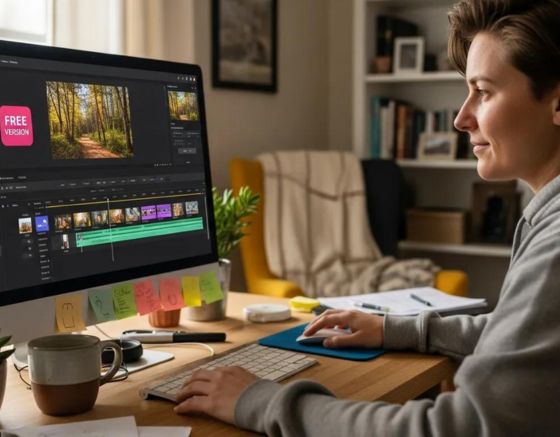
Choosing between free and paid AI online video editors affects both the quality and efficiency of your video production. This article compares the two categories by features, capabilities and use cases to help you select the appropriate tool. It outlines essential functions available in free editors, the advanced capabilities of paid solutions, and the ways AI can streamline editing workflows. The analysis is designed to help marketers, content creators and small business owners make informed decisions that improve their video output.
The wider impact of AI on content development demonstrates its capacity to improve both quality and efficiency across creative industries.
AI Tools: Enhancing Content Quality and Efficiency
The study of AI tool usage and their impact on content quality and development highlights the technology’s transformative potential for the creative industry. AI can automate repetitive tasks such as proofreading, formatting and data analysis, allowing content creators to focus on strategic and creative work. This automation increases efficiency and reduces human error, which can result in higher-quality content. AI can analyse large data sets to deliver insights and suggestions that help tailor content to audience preferences, improving engagement and relevance. AI tools also encourage innovation by proposing ideas and perspectives creators might not have considered. For example, AI-powered writing assistants can generate topic ideas, recommend stylistic edits and optimise content for SEO, ensuring that the material i A study of usage of AI tools and their impact on quality and efficiency of content development, 2024
Key Takeaways
- Free AI video editors offer basic editing tools suitable for casual users with some export limitations.
- Paid AI video editors provide advanced features, including 4K output and extensive customization options.
- Subscription plans vary, with free versions offering limited functions and paid plans delivering comprehensive capabilities.
- Paid tools support team collaboration, enhancing workflow for professional content creators and larger teams.
- Marketers and small businesses use AI video editors to create targeted videos that improve lead generation.
- AI enhances social media videos by automating editing tasks and personalizing content for better engagement.
- Educational and professional settings benefit from AI video editors by producing scalable, engaging instructional and training videos.
- Evaluating cost-effectiveness involves considering subscription tiers, credit systems, and the quality of produced content.
- Choosing between free and paid AI video editors depends on user needs, goals, and desired video quality.
What Are the Key Differences Between Free and Paid AI Video Editing Tools?
The main distinctions are feature sets, output quality and the overall user experience. Free tools generally provide basic functionality suited to casual projects. Paid tools deliver advanced capabilities aimed at professional creators. Recognising these differences will help you select the solution that matches your production requirements.
Which Features Are Included in Free AI Online Video Editors?
Free AI editors typically include essential editing actions such as cutting, trimming and merging clips, plus a limited set of templates and stock assets. They often impose export restrictions—commonly lower-than-1080p resolution—and may add watermarks to final files. These limits can reduce the perceived professionalism of produced videos.
What Advanced Capabilities Do Paid Video Editing Tools Offer?

Paid tools provide higher-quality output (including 4K), improved audio, and broader customization through additional templates, effects and advanced editing functions. Many paid platforms also include collaboration features that enable multiple users to work on projects concurrently, which supports larger production teams and more complex workflows.
Which Subscription Plans and Pricing Models Are Available for AI Video Editors?
Subscription and pricing models vary widely across platforms and influence the overall value proposition. Understanding available plans helps you match cost to required features and expected output quality.
What Are the Differences Between Free and Premium Subscription Plans?
Free plans usually restrict functionality and customisation. Premium plans offer a fuller feature set—higher-resolution exports, advanced editing tools and formal support. For professional creators, marketers and businesses, the extended capabilities of paid tiers typically deliver clearer value.
How Can You Evaluate the Cost-Effectiveness of Paid Video Editing Tools?
Assess cost-effectiveness by comparing subscription tiers, feature access and any credit-based systems used to unlock services. Factor in expected productivity gains and the performance of content created with the tool to estimate return on investment.
What Use Cases Demonstrate the Value of Free vs Paid AI Video Editors?
Examining real use cases clarifies which tool type suits specific needs. Each category highlights different strengths depending on scale, quality requirements and frequency of production.
How Do Marketers and Small Businesses Leverage AI Video Editors for Lead Generation?
Marketers and small businesses use AI editors to produce targeted videos that address audience pain points and include clear calls to action. Automation enables more frequent publishing, increasing content volume and the opportunity to engage potential leads.
What Are Examples of AI Video Editing in Educational and Professional Settings?
Educators can produce engaging instructional content, and organisations can streamline training video production. The scalability of AI-driven workflows makes these tools suitable for institutions that need consistent, repeatable video assets.
How Can You Optimize Social Media Videos Using AI Online Video Editors?
Optimising social media videos requires scalable, audience-relevant content. AI editors supply tools that speed production while supporting personalisation and format optimisation for different platforms.
What Features Support Scalable and Personalized Social Media Content?
Features such as automated script generation, dynamic editing and compelling visuals enable scalable, personalised social content. These tools can analyse audience data to help tailor videos so they better resonate with viewers.
How Does AI Improve Video Quality and Engagement on Social Platforms?
AI improves quality and engagement by automating routine editing tasks, adding dynamic visuals and captions, and enhancing audio. These enhancements help retain viewer attention and raise overall production value.
What Are Common Questions About Choosing Between Free and Paid AI Video Editors?
As you compare options, several recurring questions can guide your decision. Clear answers reduce uncertainty and help align tool selection with project goals.
What Are the Best Free AI Video Editors Available Today?
Top free AI editors combine basic editing tools, intuitive interfaces and limited template and stock libraries. Despite functional constraints, they are practical starting points for casual users and beginners.
Is Investing in Paid AI Video Editing Software Worth the Cost?
Paid software can be justified when projects require advanced features and higher-quality output. The additional customisation and dedicated support offered by paid plans often make them a sensible investment for professionals and businesses prioritising production quality.
| Feature Type | Free AI Video Editors | Paid AI Video Editors |
|---|---|---|
| Editing Tools | Basic editing functions | Advanced editing capabilities |
| Output Quality | Limited (often <1080p) | High-quality (up to 4K) |
| Customization | Limited templates | Extensive templates and effects |
| Collaboration | Not available | Team collaboration features |
This comparison underscores the key differences between free and paid AI video editors and highlights why premium tools are often preferable for serious content creators.
Ultimately, the decision between free and paid AI online video editors depends on your specific objectives and resource constraints. Understanding feature sets, pricing models and practical use cases will help you choose the most suitable tool for your content strategy.
If you are seeking a versatile solution, review the online video editor features available from Syllaby.
For organisations looking to streamline video production, Syllaby offers tailored solutions across multiple sectors.
To learn more about how Syllaby can transform your content strategy, visit the Syllaby website.
Frequently Asked Questions
What are the limitations of free AI video editors compared to paid options?
Free AI editors commonly restrict access to advanced features, deliver lower output quality (often below 1080p) and may add watermarks to exports. They also provide fewer customization options and limited template and stock media libraries, which can make them less suitable for professional projects.
How can I determine which AI video editor is right for my needs?
Evaluate your editing experience, project complexity and budget. A free tool may suffice for basic personal projects; paid solutions are advisable for professional work that demands higher quality and advanced features. Also compare collaboration capabilities and support to ensure alignment with your objectives.
Are there any hidden costs associated with paid AI video editing tools?
Some paid platforms include additional charges for premium features, extra storage or exclusive templates and stock media. Certain services use a credit system to unlock specific functions. Review pricing terms carefully and consider total cost of ownership when comparing plans.
Can I switch from a free to a paid AI video editor later on?
Yes. Many users begin with a free editor and upgrade as requirements grow. Most platforms support seamless upgrades while preserving projects and settings, allowing you to test basic functionality before committing to a paid plan.
What are the best practices for using AI video editors effectively?
Familiarise yourself with the tool’s features, use templates and stock media to enhance production, and apply AI suggestions to improve content quality. Plan your video structure with clear messaging and engaging visuals, and review analytics regularly to refine your approach based on performance data.
How do AI video editors enhance collaboration among team members?
AI editors enable collaboration through real-time editing, shared asset libraries and integrated communication features. These capabilities streamline workflows, simplify feedback cycles and allow teams to coordinate and iterate more efficiently—an advantage for larger production teams and multi-stakeholder projects.
Conclusion
Selecting between free and paid AI online video editors will shape your content production process. Free tools meet basic needs for casual use; paid tools unlock advanced features, higher output quality and collaboration capabilities for professional teams. By matching tool capabilities to your goals and budget, you can choose a solution that elevates your video production. Explore available AI video editing solutions to identify the best fit for your projects. If you have questions or require assistance, please contact us.