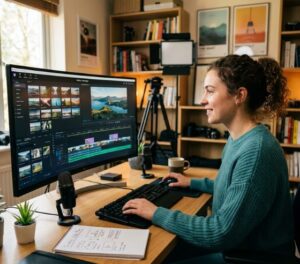







Mobile applications such as the Text to Scenes AI mobile app have changed how creators produce video. This article compares mobile AI editing and traditional desktop software, highlighting automation, user experience, and scalability offered by Text to Scenes. Readers will find clear analysis of key differences, desktop limitations, and the benefits of the mobile app. The article also examines AI personalization for social media and the efficiency gains of mobile workflows. Learn more about the capabilities of Text to Scenes AI mobile app and how it streamlines video production.
Key Takeaways
- The Text to Scenes AI mobile app automates video creation by converting text scripts into video scenes efficiently.
- Mobile AI video editing offers a user-friendly interface optimized for touch and on-the-go content creation.
- Traditional desktop video editing software lacks automation, has a steep learning curve, and limits mobile accessibility.
- AI personalization in mobile apps enhances social media videos by tailoring content to individual viewer preferences.
- Mobile editing supports scalable video production by enabling management of multiple projects from anywhere.
- Automation in the Text to Scenes app significantly reduces editing time compared to traditional desktop tools.
- Flexible subscription plans for the Text to Scenes app provide cost-effective alternatives to expensive desktop software licenses.
- User experiences highlight improved productivity and content quality using the Text to Scenes AI mobile app.
- Mobile AI video editing tools are increasingly preferred for their efficiency, accessibility, and suitability for diverse creators.
The Text to Scenes AI mobile app offers several advantages over traditional desktop video editing tools:
Text to Scenes delivers clear advantages for modern content creators. It converts text scripts into video scenes to simplify the editing workflow. The interface is optimised for mobile use, enabling work while on the move. The app employs AI to automate scene creation, which reduces manual effort and improves production efficiency. Combined, these capabilities position Text to Scenes as a practical alternative to many desktop editors.
What Are the Key Differences Between Mobile AI Video Editing and Desktop Tools?

Mobile AI video editing tools such as Text to Scenes differ from traditional desktop software across several functional areas.
- Features: Mobile apps often prioritise core features for quick edits and on-the-go production, while desktop tools may provide deeper functionality for detailed work.
- Usability: Mobile interfaces are designed for touch interaction, making them more accessible for many users compared with complex desktop interfaces.
- Performance: Mobile applications can leverage cloud processing to scale performance, whereas desktop tools depend on local hardware.
- Target User Demographics: Mobile apps appeal to a broader audience, including social media managers and creators who need rapid, efficient editing.
These distinctions show that mobile solutions are becoming practical alternatives to desktop applications. For a broader set of AI tools and solutions, explore Syllaby AI.
How Does Text to Scenes Automate Video Creation on Mobile?
Text to Scenes analyses a text script to identify themes and visual elements, then generates corresponding scenes automatically. The interface enables straightforward customization so the output aligns with the creator’s intent. The app’s cost-effectiveness reduces the financial barrier associated with many desktop licences. Its scalability supports management of multiple projects simultaneously.
What Are the Limitations of Traditional Desktop Video Editing Software?
Traditional desktop editing remains established in the industry but presents several constraints that can hinder productivity.
- Automation and Speed: Many desktop tools lack the automation features found in mobile apps, resulting in longer editing times.
- User Accessibility: Desktop software often requires a steep learning curve, making it less accessible for novice users.
- Mobile Accessibility: Unlike mobile apps, desktop software is not designed for on-the-go editing, limiting flexibility.
- Cost Efficiency: The high cost of desktop software licences can be prohibitive for small businesses and individual creators.
- Scalability: Managing multiple projects can be cumbersome on desktop platforms, whereas mobile apps streamline this process.
These constraints demonstrate the demand for more adaptable and user-friendly solutions in the video editing landscape.
What Are the Benefits of Using the Text to Scenes AI Mobile App?
Text to Scenes provides benefits that improve the video editing workflow for users.
- AI-Powered Automation: The app automates scene generation, significantly reducing production time.
- User-Friendly Interface: Designed for mobile devices, the interface is intuitive and simple to navigate.
- Scene Generation: Users can convert text scripts into engaging video scenes quickly.
- Customization Options: The app supports extensive customization to meet specific project requirements.
- User Experience Advantages: Automation combined with an accessible design enhances satisfaction and productivity.
These benefits make Text to Scenes a strong option for creators seeking efficient and effective editing tools.
| Feature | Description | Benefit |
|---|---|---|
| AI Automation | Automates scene generation from text scripts | Saves time and enhances creativity |
| User-Friendly Interface | Designed for mobile use | Increases accessibility for all users |
| Customization Options | Allows tailored video creation | Meets specific user needs effectively |
These advantages demonstrate Text to Scenes’ potential to transform video editing across diverse user groups.
How Does AI Personalization Enhance Social Media Video Content?

AI personalization adapts social media videos to viewer preferences by analysing user data and selecting content that aligns with audience interests. Automated personalization increases engagement and sharing while reducing manual editing tasks. This capability lets creators focus on content quality instead of repetitive adjustments.
In What Ways Does Mobile Editing Support Scalable Video Production?
Mobile editing supports scalable production by enabling creation, editing, and publishing from any location. Text to Scenes facilitates management of multiple projects and uses automation to reduce repetitive tasks. The resulting efficiency allows teams to allocate resources more effectively as they scale video marketing efforts.
How Does Mobile Video Editing Efficiency Compare to Desktop Solutions?
Mobile editing often achieves faster turnaround than desktop workflows. Automated scene generation accelerates project completion. The ability to edit on the move increases productivity and allows teams to respond more quickly to content needs.
What Makes Mobile AI Video Editing More User-Friendly for Content Creators?
Mobile AI editing is designed for accessibility across skill levels. Text to Scenes provides an intuitive interface that reduces technical complexity and training requirements. Automation handles routine work so creators can concentrate on creative decisions. The mobile format supports editing in varied environments.
How Does Automation Reduce Editing Time Compared to Desktop Tools?
Automation reduces editing time by handling repetitive tasks that would otherwise require extensive manual effort. Text to Scenes automates scene creation and routine edits, enabling faster delivery and better adherence to tight schedules. By minimising manual input, creators can prioritise creative direction and strategy.
What Are the Pricing and Subscription Options for Text to Scenes Versus Desktop Editors?
Text to Scenes offers flexible subscription plans with monthly and annual billing to suit different budgets and usage patterns. The pricing structure is positioned to compete with desktop editors and to provide access to advanced AI editing without large upfront costs. Review the available tiers to select the plan that matches your workflow.
- Basic Plan: $39/month
- Standard Plan: $79/month
- Premium Plan: $149/month
- Free Trial: 7-day free trial available
These plans allow users to match subscription features to their editing needs and offer a cost-effective alternative to traditional desktop licences.
How Do Text to Scenes Subscription Plans Support Different User Needs?
Subscription tiers accommodate individuals and teams by offering varying levels of feature access. Organisations can select the level that aligns with their production volume and collaboration requirements. Plans can scale to meet changing demands in content creation.
How Does Desktop Software Pricing Compare for AI Video Editing?
Desktop AI editing often requires substantial upfront investment and high licensing fees, which can limit access for small businesses and individual creators. The Text to Scenes subscription model spreads costs and lets users pay for the capacity they need, improving affordability and flexibility.
How Do User Experiences and Case Studies Illustrate the Effectiveness of Text to Scenes?
User reports and case studies demonstrate time savings and improved content quality attributable to the app’s automation. Organisations that integrated the app into marketing workflows report increased engagement and lead generation. These examples highlight practical benefits across sectors. For more information on how different sectors leverage AI solutions, visit Syllaby AI industries.
What Success Stories Demonstrate Lead Generation Improvements?
Customer success stories document increased viewer engagement and conversion following the adoption of Text to Scenes. By streamlining production and elevating video quality, users have improved audience capture and supported business growth. These outcomes provide evidence of the app’s effectiveness for marketing objectives.
How Do Content Creators Rate Mobile AI Video Editing Usability?
Creators rate mobile AI editors such as Text to Scenes highly for usability. Feedback emphasises intuitive design and simplified workflows for both novice and experienced users. Automation enables creators to concentrate on creative work, reinforcing the growing preference for mobile solutions.
The efficiency and user-friendliness of mobile AI video editing are further enhanced by the comprehensive solutions offered by platforms like Syllaby.io. Advances in mobile AI are continuously pushing the boundaries of what smartphones can achieve in areas like camera scene detection.
Mobile AI Challenge for Smartphone Camera Scene Detection
Camera scene detection is a key computer vision challenge on smartphones. Although many phone vendors developed bespoke solutions for this task, publicly available models were limited until recently. To address this gap, the inaugural Mobile AI challenge was launched. Its objective is to advance quantized deep learning-based camera scene classification methods capable of real-time performance on smartphones and IoT platforms. Fast and accurate quantized camera scene detection on smartphones, mobile ai 2021 challenge: Report, A Ignatov, 2021
Frequently Asked Questions
What types of content creators benefit most from the Text to Scenes AI mobile app?
Text to Scenes benefits social media managers, marketers, and creators who require rapid production of engaging video content. The interface and automation suit users without extensive editing expertise. Businesses can use the app to produce tailored videos that align with target audiences.
Can the Text to Scenes AI mobile app be used for professional video production?
Text to Scenes is suitable for professional video production. Automation accelerates workflows and customization supports professional standards for campaigns and promotional material. The app’s mobility allows teams to work on projects from any location.
How does the Text to Scenes app ensure video quality during automation?
The app uses AI algorithms to analyze scripts for themes and visual cues, producing scenes that are relevant and visually coherent. Users can refine outputs through customization to ensure the final product matches their creative vision. The combination of AI automation and user input yields outputs appropriate for multiple platforms.
What are the system requirements for using the Text to Scenes AI mobile app?
Text to Scenes is compatible with a wide range of mobile devices. Typically it requires a smartphone running a recent iOS or Android operating system, sufficient storage, and a stable internet connection for cloud-enabled features. Consult the official website for exact device requirements.
Is there a community or support system for users of the Text to Scenes app?
Users can access support via the app’s help centre, which provides FAQs, tutorials, and user guides. Social channels and forums enable creators to share tips and collaborate, enriching the user experience.
How does the Text to Scenes app handle updates and new features?
The app receives regular updates to improve functionality and introduce new features. Updates are typically distributed through app stores. Significant changes are communicated via in-app notifications or release notes so users remain informed.
Conclusion
Text to Scenes combines automation, an accessible design, and scalable workflows that many desktop tools do not provide. The app streamlines production and enables creators to deliver higher-quality video more efficiently. Review the available plans to determine which option best supports your content production needs.