







AI video script generators convert brief ideas, audience signals, and keywords into structured, publish-ready scripts using language models and template-driven frameworks. This article explains how those tools accelerate ideation, reduce pre-production overhead, and maintain consistent voice across high-frequency YouTube output so creators can publish more often with better retention. You will learn the mechanisms behind prompt-to-script automation, the role of templates and SEO-aware prompts, how faceless video and avatar toolchains fit into a unified workflow, and the practical steps to automate scheduling and repurposing. The guide maps core features (prompt-driven output, scene breakdowns, voice clones) to measurable benefits such as time saved per video and output cadence improvements. Along the way, a real-world example highlights an AI platform that bundles script generation with text-to-video, avatars, and scheduling to illustrate an integrated workflow. By the end you’ll have a step-by-step process for adopting script automation and the KPIs to measure ROI for a YouTube channel.
What Is an AI Video Script Generator and How Does It Enhance YouTube Content Creation?
An AI video script generator is a system that transforms prompts, keywords, and contextual parameters into organized scripts designed for video formats, saving creators time by automating structure, pacing, and CTA placement. It enhances YouTube content by accelerating ideation, ensuring consistent tone across episodes, and producing SEO-aware copy that aligns with audience intent and watch patterns. The mechanism pairs template libraries (shorts, long-form, explainer) with prompt scaffolds and keyword inputs to produce a script broken into scenes, hooks, and CTAs for editors or text-to-video pipelines. For creators, this means dramatically fewer blank-page hours and faster iteration on A/B script variants to test thumbnails, hooks, and openings. Understanding these mechanics clarifies how automation replaces repetitive writing tasks while preserving the creative control needed to optimize for watch time and retention.
How Do AI Script Generators Automate Video Script Writing for YouTube?
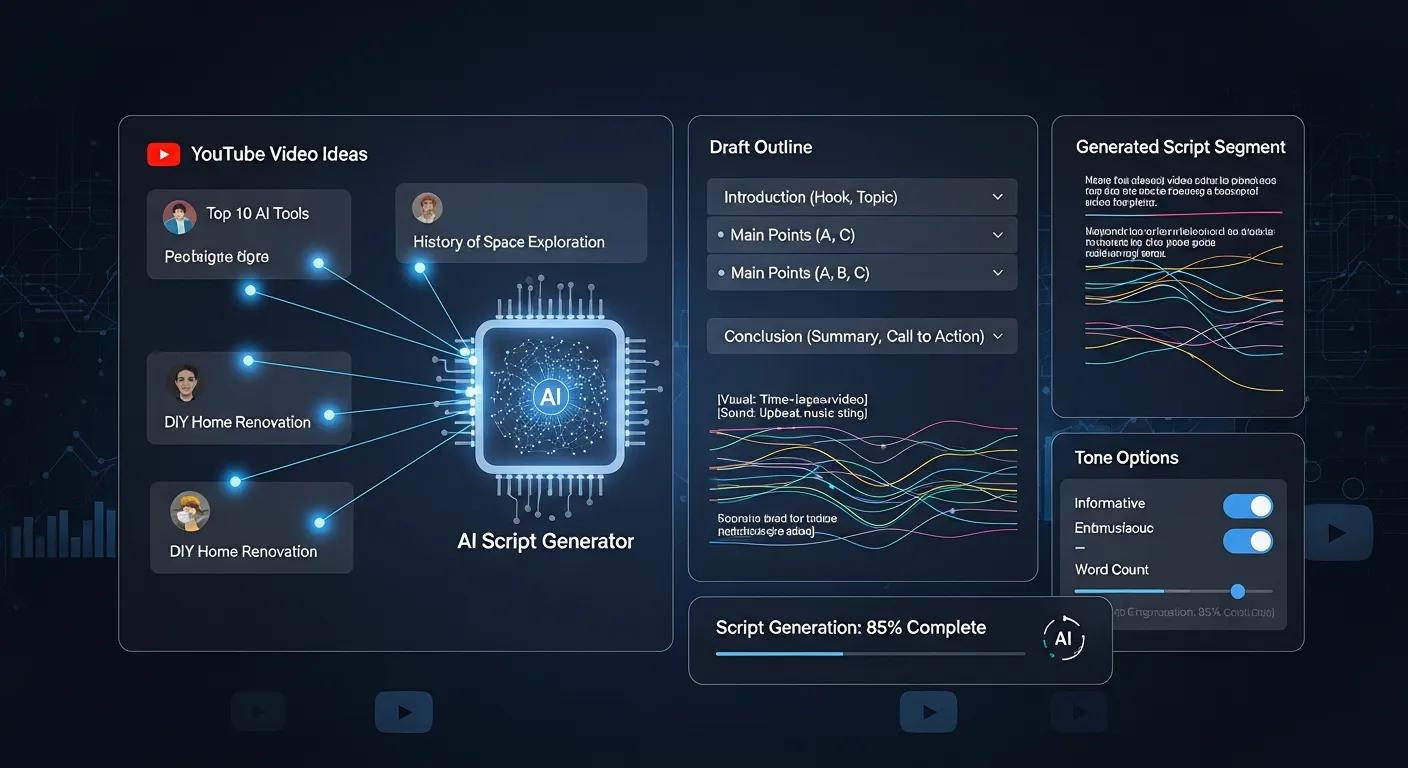
AI script generators automate writing by accepting a concise brief—topic, target audience, desired length, and call-to-action—and producing a formatted script with scenes, cues, and suggested visuals. First, creators provide a prompt or select a template; second, the model generates a hook, context, value segments, and an optimized CTA; third, outputs are adjusted for video length, tone, and SEO keyword placement to match YouTube formats. This pipeline reduces manual structuring and provides multiple variations for testing, so creators can iterate quickly and choose the best-performing hook. The result is a reproducible process that turns audience questions and keyword inputs into ready-to-produce scripts, shortening pre-production and lowering the barrier to frequent publishing.
What Features Make the Best AI Video Script Writers for YouTube?
Best-in-class AI script writers combine SEO awareness, template variety, tone controls, and export compatibility with editing workflows to be genuinely useful to YouTube creators. SEO integration ensures scripts include target keywords and audience-question phrasing relevant to discovery, while templates tailor structure for shorts, listicles, and long-form explainers. Tone and persona controls allow creators to maintain consistent brand voice across episodes and integrate catchphrases or character beats. Export options such as subtitle-ready SRT, shot-by-shot breakdowns, and time-coded scripts make transition to editing or text-to-video seamless, reducing rework and preserving narrative pacing.
The list below outlines the most impactful features to prioritize when evaluating AI script tools.
- SEO-aware prompts and keyword insertion to improve discoverability.
- Template libraries for formats like shorts, explainers, and interviews to speed formatting.
- Tone and persona controls that maintain consistent brand voice across videos.
These features work together to reduce manual editing time and increase output consistency across a content calendar.
How Does Syllaby’s AI Script Generation Streamline YouTube Video Production?
Syllaby’s AI Script Generation maps the idea-to-script stage into a compact workflow by combining keyword research, audience-question inputs, and templated scene breakdowns to produce publish-ready scripts quickly. The platform pairs script generation with complementary capabilities—AI avatars, faceless video creation, voice cloning, and content calendar features—so creators can move from text to video and scheduled posting within a single product ecosystem. By centralizing idea discovery and script output, creators avoid the handoffs between separate tools and benefit from consistent character models and voice clones that match the script’s persona. The integrated approach reduces friction between writing and production, letting small teams and solo creators scale output without proportionally increasing resources.
How Does Syllaby Create Effortless, Audience-Optimized YouTube Scripts?
Syllaby creates audience-optimized scripts by combining keyword research that surfaces audience questions with persona-driven templates that shape tone and structure for specific formats. A creator provides a topic and target persona, then the AI injects relevant search queries and suggested CTAs while formatting the output into hooks, value segments, and scene directions. This yields scripts that are already tuned to likely viewer intent and framed for retention metrics such as watch time and click-through on suggested thumbnails. The export-ready nature of these scripts—formatted for editing timelines or for direct use in faceless text-to-video pipelines—minimizes the iteration loop between writing and production.
Introductory table: how Syllaby’s core features compare to traditional manual steps in a compact EAV style.
| Feature | What it Does | Practical Benefit |
|---|---|---|
| AI Script Generation | Converts prompts and keywords into formatted scripts | Cuts ideation time and delivers publish-ready structure |
| Voice Cloning | Recreates consistent voice persona for narration | Maintains tonal consistency across episodes |
| Faceless Video / Avatars | Generates visual assets without live talent | Reduces production cost and scheduling constraints |
How Can AI-Powered Faceless Videos and AI Avatars Improve YouTube Content Workflow?
Faceless videos and AI avatars let creators produce on-brand content without on-camera talent, reducing production complexity and enabling high-volume publishing with consistent character continuity. Faceless formats often use text-over-B-roll, animated avatars, or synthesized voiceovers, which eliminates location shoots, lighting setups, and costly talent coordination. AI avatars preserve character parameters—appearance, gestures, catchphrases—so series retain recognizability while easing the logistics of multi-episode production. When combined with script automation and voice cloning, faceless workflows provide a repeatable content machine that supports rapid iteration and audience testing across formats like shorts and long-form explainers.
What Are Faceless Videos and How Do They Save Time and Costs?
Faceless videos are formats that remove or replace on-camera hosts with visuals such as animated avatars, motion graphics, or text-over-B-roll, streamlining production by removing casting and filming steps. Production savings arise from fewer shoot days, reduced editing complexity for matching live footage, and the ability to mass-produce episodes using templates and reusable assets. Faceless pipelines are particularly effective for creators who prioritize volume—channels that publish frequent shorts and clips gain continuous discovery without proportional increases in production spend. By standardizing visual assets and repurposing existing footage, faceless approaches cut both time and cost per published minute while retaining brand clarity.
How Do AI Avatars Ensure Character Consistency and Engagement on YouTube?
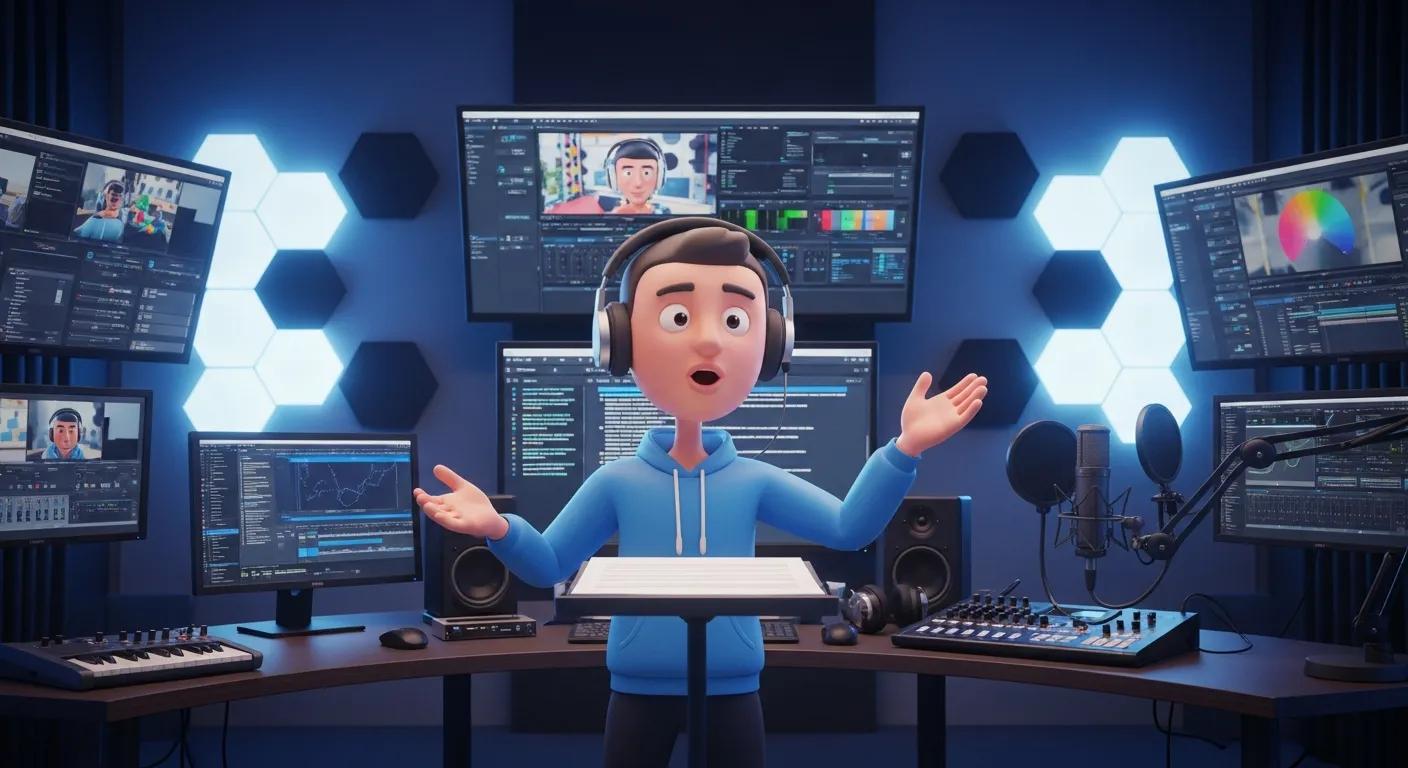
AI avatars provide a defined character layer—visual design, voice clone, and scripted mannerisms—that remains consistent across videos and series, which supports audience attachment and reliable brand recognition. Consistency in appearance and voice reduces cognitive friction for returning viewers and strengthens retention because audiences come to expect a familiar delivery and persona. Avatars also enable controlled A/B testing of delivery styles; creators can generate multiple voice or gesture variants to measure engagement differences without recasting or reshooting. The result is a stable, testable persona that scales across frequency and format while preserving viewer trust and channel identity.
Key benefits creators get from avatars and faceless workflows include:
- Consistent branding across episodes through persistent character parameters.
- Lower production costs by replacing live shoots with template-driven assets.
- Faster iteration since avatars can be updated or scaled without new shoots.
These benefits combine to make high-frequency publishing feasible for creators with limited production budgets or small teams.
How Does AI Workflow Automation Optimize YouTube Content Scheduling and Publishing?
AI workflow automation connects idea discovery, content calendar generation, and platform-optimized scheduling to minimize manual planning and increase predictable output. Automated tooling scans keywords and audience questions to propose topics, ranks them by potential reach and channel fit, and populates a content calendar with suggested cadences and repurposing plans. From there, scheduling integrations or built-in social tools push clips and captions to promotional channels at optimal times, ensuring consistent promotion without daily manual intervention. Automating these steps preserves editorial strategy while freeing creators to focus on higher-value tasks like creative direction and analytics-driven iteration.
How Does AI Support Idea Discovery and Content Calendar Management for YouTube?
AI supports idea discovery by mining search trends, audience questions, and keyword clusters to generate prioritized topic lists tailored to a channel’s niche and past performance signals. Once generated, the system can propose a publication cadence and assign content types (shorts, clips, long-form) to slots in a calendar, enabling repeatable workflows that align with audience habits. This pipeline reduces time spent on brainstorming and helps maintain a steady funnel of testable concepts for A/B optimization. By automating discovery and scheduling, creators move from ad-hoc planning to a predictable production tempo that feeds repurposing and cross-platform promotion.
Introductory table: task-level automation and expected gains when AI handles scheduling and repurposing.
| Workflow Task | AI Capability | Expected Gain |
|---|---|---|
| Idea Discovery | Keyword & question mining | Faster topic ideation; more relevant topics |
| Calendar Population | Auto-scheduling and cadence suggestions | Consistent publishing; reduced admin time |
| Repurposing | Clip extraction and captioning | More social posts per published video; improved reach |
What Role Does AI Play in Social Media Scheduling and Repurposing YouTube Videos?
AI streamlines repurposing by automatically extracting high-engagement clips, generating captions and hashtags, and formatting outputs for platform-specific aspect ratios and length constraints. Scheduled posting tools then distribute these assets at optimized times, ensuring each long-form video yields multiple short-form posts that drive discovery back to the channel. Automation increases the effective promotional lifespan of each video without adding proportional manual effort, raising the channel’s share of voice across platforms. Combined analytics can attribute lift to specific repurposed assets, enabling creators to refine which clips and formats generate the best referral traffic to YouTube.
Typical repurposing workflow automated by AI:
- Analyze full-length video for high-retention segments.
- Auto-generate clips and captions optimized per platform.
- Schedule posts across channels with suggested posting windows.
A summary paragraph: These automated steps convert single video investments into sustained promotional campaigns, improving content ROI and broadening discovery without scaling team size.
What Are the Measurable Benefits of Using AI Video Script Generators for YouTube Creators?
AI script generators produce quantifiable gains in time savings, output frequency, and consistency, which together translate into higher channel growth potential when measured against core KPIs. Time savings typically appear in pre-production—idea validation and script drafting—and free creators to focus on editing and optimization. Quality improvements stem from consistent voice and rapid A/B testing of openings and CTAs, which can increase click-through and early retention. Measurable KPIs to track include number of videos published per month, pre-production hours per video, click-through rate on thumbnails linked to script hooks, and average view duration for AI-optimized scripts.
Introductory paragraph before EAV table: The table below quantifies typical benefits creators report when shifting from manual scripting to AI-driven script generation, using conservative metric ranges informed by industry summaries.
| Metric | Baseline (Manual) | AI Script Generator Impact |
|---|---|---|
| Time per video (pre-production) | 4–8 hours | 50–70% reduction |
| Monthly output (videos) | 4–8 | 1.5×–3× increase |
| Cost to produce per video | Variable (writers/editors) | Significant reduction vs. hiring |
| Consistency (voice/format) | Low to medium | High (templates + clones) |
Summary paragraph after table: This EAV-style comparison shows AI scripting shifts time from ideation to execution and increases output reliability. Tracking these metrics helps creators quantify ROI and justify subscription costs for integrated toolchains that bundle script, voice, and video generation.
How Much Time and Cost Can Creators Save Using AI Script Generation?
Creators typically see the largest time savings in ideation and first-draft script writing, where AI can cut dozens of editing hours per video by providing structured, scaffolded copy and multiple variations for testing. For solo creators, this can mean going from one to several publishable drafts in a fraction of the time, reducing the need to hire external writers. Cost savings compared to assembling a team of scriptwriters and on-camera talent are substantial, especially when faceless video and voice cloning options remove recurring talent fees and logistics. Measuring savings as hours saved per video and the increase in publish frequency provides a practical ROI model for small channels and agencies alike.
How Does AI Improve Content Consistency, Quality, and Audience Engagement on YouTube?
AI improves consistency by enforcing templates, persona controls, and reusable assets such as voice clones and avatar character models, which keep messaging and style uniform across episodes. Quality enhancements come from data-driven prompts that integrate keywords and audience questions, and from rapid A/B testing of script variants that hone hooks and pacing based on performance signals. Engagement benefits accrue because consistent tone and optimized openings increase CTRs and early retention, which in turn can improve algorithmic recommendations. By iterating quickly on scripts and repurposed assets, creators can refine what resonates and scale successful formats across a content calendar.
KPIs recommended to measure AI impact:
- Pre-production hours saved per video.
- Increase in published videos per month.
- Improvements in average view duration and CTR.
- Cost-per-video compared to manual or outsourced workflows.
This measurement framework links AI-enabled processes to business outcomes so creators can track progress and justify automation investments.
How Do You Get Started with Syllaby’s AI Video Script Generator for YouTube?
Getting started with Syllaby’s AI script generator involves a short onboarding loop—define your channel persona and goals, select a template (shorts, list, explainer), provide seed keywords or audience questions, and generate your first draft for quick edits. The platform’s credit-based usage model and bundled features allow creators to test script generation, faceless video creation, and voice cloning without complex integrations, keeping setup friction low. For creators evaluating plans, Syllaby’s pricing tiers map to different usage patterns: Basic at $29/month suits hobbyists who need occasional script ideas, Standard at $78/month supports frequent creators with higher credit allocations, and Premium at $149/month is aimed at high-volume channels or small agencies; custom enterprise solutions are available for large-scale, tailored needs. These options let creators pick a plan aligned to output goals and scale up as publishing cadence increases.
What Are the Simple Steps to Generate Your First YouTube Script with Syllaby?
To generate a first script, follow a straightforward four-step process that minimizes setup and delivers a publish-ready draft quickly. First, prepare a short brief with the core topic, audience persona, and desired video length. Second, choose a template that matches your format—shorts, explainer, or listicle—and insert any priority keywords or audience questions. Third, run generation to receive a hook, scene breakdowns, and CTA suggestions; then review and edit the draft to match your brand voice. Fourth, export the script in an editor-friendly format or route it into faceless video and voice cloning workflows to produce the final asset.
Which Pricing Plans Best Fit Different YouTube Content Creators?
Selecting the right plan depends on output goals, team size, and the extent of integrated features required for production scaling. Basic at $29/month is well-suited for hobbyists or new creators experimenting with AI-assisted scripts and occasional video production. Standard at $78/month fits regular creators who publish weekly and need more credits for idea and script generation plus occasional video creation. Premium at $149/month targets creators and small agencies producing high volumes who want larger credit allotments and broader access to features like voice cloning and scheduling. For organizations with enterprise solutions offer tailored credits and integration options.
Quick mapping of plan fit:
- Hobbyist → Basic ($29/month) for experimentation.
- Part-time/consistent uploader → Standard ($78/month) for steady output.
- High-volume creators/agencies → Premium ($149/month) or enterprise for scale.
These pricing tiers provide predictable cost models that creators can align with measured increases in publishing cadence and time savings.