






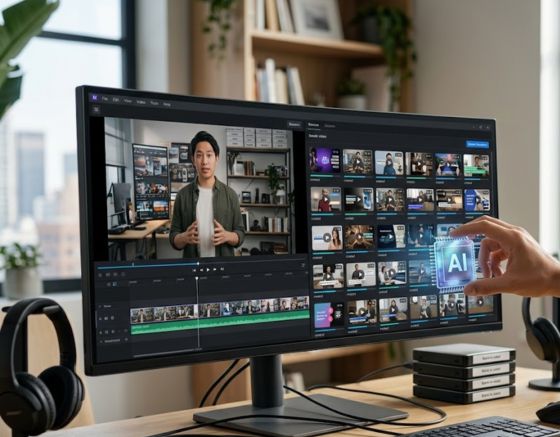
Are you looking to turn one hour of video into weeks of social media traction? To batch create 100 short videos from one long video using AI, you must upload your master recording to an automated clipping tool, let the machine highlight the key moments, and render them as stylized vertical clips. By adopting this approach, you can consistently create short-form video content that captures attention without spending dozens of hours in a manual editing suite.
The modern digital landscape moves incredibly fast, and creators who cannot publish consistently often find themselves left behind by platforms that favor volume. By transforming your webinars, podcast episodes, or long-form presentations into a steady stream of micro-content, you maximize the value of every single recording you produce. Using an intuitive software suite like Syllaby simplifies the process, turning what used to be a full-time editing job into a quick, automated task.
Let us explore how you can take a single master video file and systematically break it down into an entire library of high-performing, vertical media assets.
Why Modern Brands Choose to Create Short-Form Video Content

Consumer behavior has shifted dramatically over the past few years, with audiences prioritizing brief, high-impact messages that fit easily into their daily schedules. This transition has changed how businesses and individual creators interact with their communities. Producing bite-sized visual pieces allows you to occupy more digital real estate while delivering immediate, concentrated value to your viewers.
Platforms that highlight vertical feeds are designed to capture user interest in milliseconds. Because these platforms use discovery engines that recommend individual videos based on user interactions, every clip you post acts as a new gateway to your brand. When you post a wide variety of clips, you increase your chances of reaching diverse audience segments who may never have committed to watching a full-length broadcast.
Additionally, this high-frequency publishing strategy provides you with direct data on what resonates with your audience. Instead of putting all your resources into a single long video and hoping it succeeds, you can distribute your message across dozens of smaller assets. This approach minimizes your production risk while maximizing your overall brand footprint.
Understanding Content Repurposing in the Digital Era
The practice of content repurposing is not merely about chopping up old media, it is a strategic philosophy that values efficiency and visual longevity. When you record a detailed interview or a comprehensive tutorial, you are creating a dense repository of insights, jokes, examples, and stories. Leaving that asset as a single, multi-hour video often means burying valuable gems where only a fraction of your audience will ever find them.
By utilizing smart systems to partition your media libraries, you engage in bulk content creation that treats your master recording as a content mine. This process ensures that your primary ideas are polished, packaged, and distributed across multiple channels. It allows your marketing team to maintain a continuous cadence of uploads without needing to gather for frequent filming sessions.
This methodology also reinforces your authority in your specific niche. By addressing various facets of a complex topic across multiple short clips, you present your brand as a continuous source of reliable knowledge. Your target audience starts to see your content everywhere, which builds familiarity, credibility, and eventual brand loyalty.
Elevating Your Production Speed with Automated Platforms
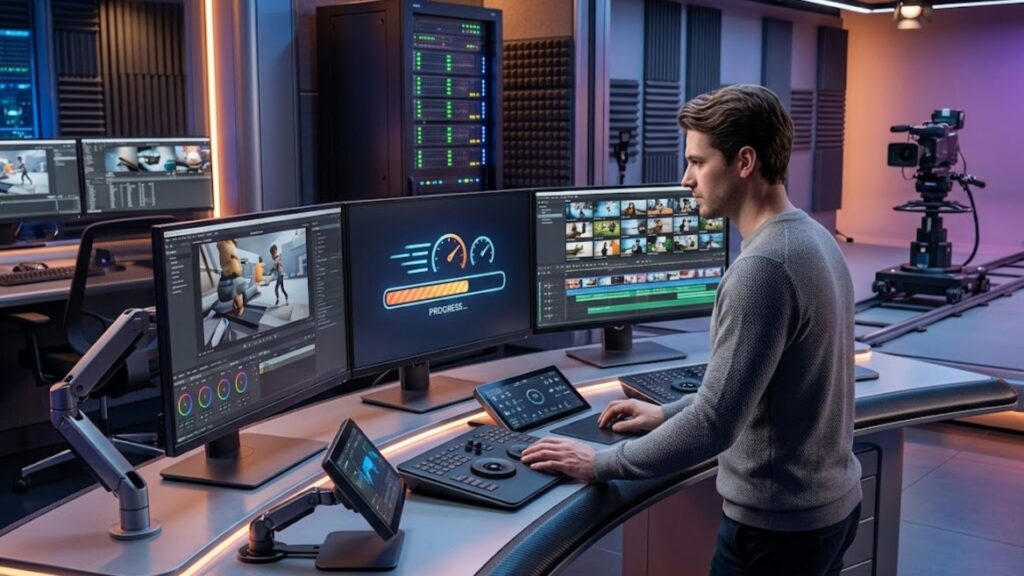
Create short-form video content at an unprecedented scale by relying on algorithms that detect active speaker shifts and visual cues. Modern technology can analyze audio frequencies, speech patterns, and changes in the visual frame to determine where a thought begins and ends. This means you no longer have to listen to hours of footage just to mark timestamp intervals manually.
If you prefer not to appear on camera yourself, you can leverage an automated faceless video generator to craft highly engaging clips that speak directly to your niche audience. These tools allow you to pair high-quality visual sequences with professional voiceovers, meaning you can maintain a high-volume output even without personal raw footage. This capability changes the game for brand builders who want to maintain privacy while establishing a strong visual footprint.
By utilizing AI video clipping engines, you can feed a single link or upload a file, and watch the system generate optimized clips with appropriate aspect ratios. The software automatically handles the heavy lifting, including centering the speaker, adjusting the audio, and producing clean transitions. This level of automation allows small teams to achieve the same production output as massive media agencies.
Step-by-Step System: Batching 100 Videos from a Single Recording
Achieving a high-volume output requires a systematic approach to your recording and editing workflow. Below is a structured breakdown of how to prepare, process, and publish your content library using advanced automated tools.
Step 1: Pre-Production and Recording Strategy
To get the most out of your master recording, you must plan your long-form video with division in mind. When you are filming a podcast, an interview, or a lecture, try to structure your thoughts into distinct, self-contained segments. This means avoiding continuous references to previous chapters and instead delivering clear, concise insights that can make sense on their own.
- Speak in modular segments: Try to deliver your key points within two to three minutes, treating each answer as a mini-story with a beginning, middle, and end.
- Emphasize your hooks: Clearly state the problem you are solving before you deliver the answer, which gives the automated clipping tools a natural point to start the edit.
- Leave brief pauses: Pausing for a second or two between major topics makes it much easier for the extraction software to make clean visual cuts without slicing into your words.
Step 2: Uploading and Initial Media Processing
Once your raw video is ready, the next step is to import it into your chosen processing platform. Most modern systems allow you to drag and drop files directly or paste a web link from popular video hosting sites. The cloud-based software will then transcribe the entire recording with high accuracy, generating a text representation of your spoken words.
Establishing a scalable short-form content workflow is the difference between feeling overwhelmed by social demands and easily maintaining a dominant online presence. The transcription process serves as the foundation for this workflow, as the system uses the text transcript to identify themes, analyze sentiment, and locate structural highlights.
Step 3: Algorithmic Clip Detection and Curation
Once the transcription is complete, the clipping engine scans the text and audio to score various moments based on their potential to engage viewers. The algorithm looks for high-impact statements, sudden shifts in tone, audience reactions, or concise definitions.
The software will present you with a list of recommended clips, often accompanied by a predicted rating or suitability score. You can review these suggestions, adjust the starting and ending frames if necessary, and approve them for styling. This selective curation ensures that only your strongest, most coherent moments make it to the publishing queue.
Step 4: Styling, Subtitles, and Visual Branding
Visual styling is what keeps a viewer from scrolling past your video. During this phase, you apply customized templates, color schemes, and fonts that reflect your brand identity. Automated systems can generate word-by-word captions that sync perfectly with your speech, incorporating expressive colors and emojis to emphasize key phrases.
To elevate your content standards further, you should implement visual reframing that keeps the main speaker in the center of the vertical 9:16 frame. Advanced active speaker detection tracks facial movements, meaning that even if your original video had multiple people sitting across from each other, the software can split the screen or switch camera angles dynamically.
Step 5: Direct Publishing and Schedulers
With your clips rendered and styled, the final step is to organize them into a consistent publishing schedule. Having dozens of ready-to-post vertical videos does you no good if they sit on your hard drive. Most advanced platforms feature direct integrations with major social networks, allowing you to queue your media days or weeks in advance.
By spreading your uploads evenly throughout the week, you keep your brand fresh in the minds of your audience. This consistent presence trains the social discovery algorithms to recognize your profile as an active, valuable contributor, which can gradually expand your overall organic reach.
Analyzing the Numbers: Manual Editing vs. Automated Systems
To understand the immense value of adopting automated tools for your media pipeline, it helps to compare the traditional editing process with modern algorithmic workflows.
| Metric | Traditional Manual Editing | Automated AI Clipping |
| Time Investment | 4 to 8 hours per long video | 10 to 15 minutes per long video |
| Technical Skill Required | High (proficiency in complex editing software) | Low (intuitive, click-and-select interface) |
| Subtitle Generation | Manual typing or syncing external files | Fully automatic, real-time caption styling |
| Framing Adjustments | Manual keyframing to center speakers | Intelligent facial tracking and auto-cropping |
| Scalability | Extremely limited by human resources | Virtually infinite batch processing power |
| Overall Project Costs | High editor salaries or agency fees | Predictable, budget-friendly software subscriptions |
As the comparison illustrates, moving away from manual scrub-and-cut methods allows you to reclaim your calendar. You can redirect your valuable energy toward high-level strategy, product development, and building deeper connections with your community.
Best Practices for Crafting Viral Short Clips
While automated systems do most of the mechanical work, your creative guidance is what ultimately makes your clips successful. Here are the core principles for ensuring your short videos perform at the highest level.
Mastering the Hook in the First Two Seconds
Online viewers have incredibly short attention spans, meaning you must capture their interest immediately. The opening frames of your short video must tell the viewer exactly why they should stop scrolling and listen.
- Use visual titles: Place a clear, bold title at the top of your frame that highlights a common pain point or an intriguing question.
- Start mid-thought: Avoid slow introductions or greetings. Begin the clip with an active, high-energy statement that immediately draws the viewer into the conversation.
- Leverage motion: Incorporate subtle visual changes, such as a camera zoom, a graphic overlay, or dynamic text movement, within the first second to stimulate the viewer’s eyes.
Maintaining Platform-Specific Visual Formats
Different social networks have distinct visual styles and user expectations. A video that performs exceptionally well on one network might require slight adjustments to succeed on another.
Writing strong hooks is critical, and deploying proven scripting strategies for higher viewer retention ensures that once a viewer stops scrolling, they stay to watch your message unfold. These strategic templates help you structure your narratives so that each clip feels like a complete, satisfying experience, even if it is only forty seconds long.
Make sure your text overlays do not overlap with the standard user interface elements of each platform, such as the comment sections, share buttons, or profile icons. Keeping your captions centered or slightly elevated prevents important information from being covered up by the application’s native design.
Elevating Brand Consistency and Scalability
When selecting tools for your workflow, platforms like Syllaby AI provide end-to-end support, moving you from initial ideation to finished vertical assets in minutes. With Syllaby AI, the tedious mechanics of script generation and format optimization are handled automatically, allowing you to focus on high-level creative direction.
If you are ready to see how this fits into your specific business model, you can schedule a live demo consultation with our expert support representatives. Seeing the technology in action helps you visualize exactly how to integrate automatic clipping into your existing marketing operations.
Should you need custom features or specialized support for larger teams, feel free to reach out to our support team to discuss custom enterprise solutions. Utilizing a dedicated platform ensures that your brand voice remains consistent across all one hundred clips, protecting your brand integrity while massively scaling your output.
People Also Ask: Frequently Asked Questions
How does AI identify the best moments in a long video?
Modern clipping systems analyze your video’s audio track to create a word-for-word text transcript. The algorithm then scans this transcript for specific linguistic patterns, such as strong emotional declarations, high-impact definitions, unexpected statistics, or clear resolutions to common questions. Additionally, the software evaluates changes in voice volume, speech speed, and visual transitions to pinpoint moments where the energy level peaks, suggesting that these segments will hold a viewer’s interest on social platforms.
Can I edit the automatic subtitles if there are spelling mistakes?
Yes, almost all advanced clipping platforms feature an interactive text editor alongside your video preview. Because the subtitles are tied directly to the audio timeline, you can easily click on any misspelled word, brand name, or technical term to correct it in seconds. The software will automatically update the text in the video frame without forcing you to re-render the entire project or adjust keyframes manually.
What is the ideal length for a vertical video clip?
The most effective length for a vertical video typically ranges between 30 and 60 seconds. While platforms allow for longer uploads, this duration strikes a perfect balance between delivering a meaningful message and maintaining maximum viewer retention. Keeping your videos under a minute makes them highly shareable and ensures they can be posted across all major vertical distribution channels without requiring separate edits.
How can I maintain high video quality when converting horizontal to vertical?
To maintain crisp visual clarity when converting horizontal footage to a vertical aspect ratio, you should record your master files in at least 1080p resolution, though 4K is highly recommended. Because vertical conversion cropping uses only the center portion of your original wide frame, starting with a high-resolution source prevents your finished clips from looking pixelated or blurry on high-definition mobile screens.
Do I need prior editing experience to use video repurposing tools?
No, you do not need any technical editing experience to use modern video repurposing tools. These platforms are designed specifically for business owners, marketers, and creators who want to bypass the steep learning curve of traditional video editing suites. The system handles the complex processes, such as tracking active speakers, centering the camera, and generating synced subtitles, allowing you to produce professional results with simple click-and-select choices.
Conclusion
Embracing automated media creation is the most efficient way to keep pace with the massive demand for daily social media content. By shifting from slow, manual editing to a streamlined system, you can comfortably turn a single recording session into a month’s worth of highly engaging visual materials. In conclusion, learning how to partition your media libraries allows you to create short-form video content efficiently, ensuring your message lands on every channel with minimum friction. By using platforms like Syllaby AI, you can reclaim your time, engage your audience, and build a highly recognizable brand on autopilot.