






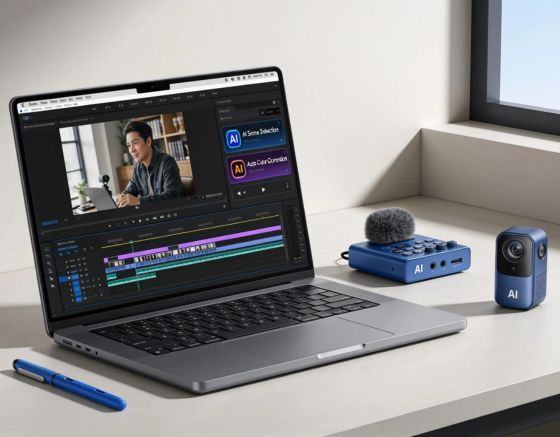
Advanced AI now enables creators to produce professional videos without using a camera. This capability streamlines production for businesses and individuals by automating scripting, voiceovers, visuals, editing, and publishing. This guide explains the end-to-end workflow—script creation, voice generation, visual selection, assembly, and publishing—reviews tools such as Syllaby, Descript, and Pictory, and outlines best practices to improve video marketing. By the end, you will understand how to optimize video production efficiently.
Key Takeaways
- AI video workflows enable complete video production without cameras by automating scripting, voiceovers, visuals, and editing.
- Key tools like Syllaby, Descript, and Pictory streamline AI video creation from script generation to publishing.
- Effective AI video workflows rely on engaging scripts, high-quality visuals, and consistent branding for audience retention.
- Automated content pipelines increase efficiency, scalability, and cost-effectiveness in social media video marketing.
- Syllaby offers AI-driven scriptwriting, voice cloning, collaboration, and background music integration for faceless videos.
- Personalizing social media videos with dynamic content and A/B testing improves lead generation and viewer engagement.
- AI analytics support data-driven decisions to optimize video content strategy and increase audience connection.
- Faceless video technology reduces production costs and accessibility barriers but may lack emotional nuance and creativity.
- Following structured workflows and best practices ensures efficient, high-quality AI video production without physical filming.
Process
An AI video workflow comprises defined stages that together ensure smooth production and strong results. Each stage contributes to efficient, engaging videos.
- Script Creation: Initiate the workflow by developing an engaging script that captures your message effectively. This sets the foundation for your video and ensures clarity.
- Voice Generation: Utilize AI-powered voice generation tools to create realistic voiceovers that enhance the storytelling aspect of your video, making it more engaging for viewers.
- Visual Selection: Choose high-quality visuals that align with your script and maintain audience interest. Stock footage libraries provide a plethora of options.
- Video Assembly: Combine your visual and audio assets into a cohesive video. AI tools can simplify this process, automating many elements of video editing.
- Review and Edit: Review the assembled video carefully, editing as needed to refine the content, ensuring that it aligns with your original vision and messaging.
- Publishing: Finally, publish your video on appropriate platforms, optimizing it for reach and engagement.
Integrating tools such as Syllaby streamlines each stage—from scripting to editing—providing a comprehensive approach to AI video production.
Tools
Selecting the right platforms is critical to an effective AI video workflow. The following tools can improve efficiency across production stages:
- Syllaby: Syllaby specializes in AI-driven script generation, allowing users to create engaging narratives quickly.
- Descript: This platform excels in voice generation technology, offering capabilities that enable users to produce professional-quality audio.
- Pictory: Known for its quick video creation features, Pictory allows users to easily bring their visual content to life using AI technology.
- Stock Footage Libraries: Platforms offering a vast selection of high-quality stock footage are invaluable for visual selection, ensuring that your video appears polished and professional.
Together, these tools reduce technical friction and allow creators to focus on content and strategy.
Best Practices
Adopting proven practices improves video quality and audience engagement.
- Engaging Scripts: Craft scripts that tell a compelling story, ensuring that they resonate with your target audience and drive engagement.
- High-Quality Visuals: Utilize visuals that not only enhance the message but also capture the audience’s attention effectively.
- Consistent Branding: Maintain consistent branding throughout your videos, including visuals, logos, and messaging to foster brand recognition.
- Iterate Based on Feedback: Regularly solicit feedback on your videos to identify improvement areas and adjust your approach accordingly.
- Optimize for SEO: Implement strategies like appropriate tagging, descriptive titles, and engaging thumbnails to enhance visibility and reach through search engines.
Following these practices increases the likelihood of success in a competitive video market.
What Are the Fundamentals of AI Video Production and Faceless Video Technology?
AI video production uses artificial intelligence to automate and improve video tasks. It enables faster output with less human input. Faceless video techniques omit on-camera talent and instead rely on visuals, animation, and AI-generated narration. The primary advantage is delivering content without a physical crew or on-screen presenters, which makes video creation more accessible.
How to Design and Set Up an Automated Content Pipeline for Video Marketing?
An automated content pipeline moves projects from concept to distribution with fewer manual steps. To implement one, follow these actions:
- Define Objectives: Identify the goals for your video content, including target audience, key messages, and desired outcomes.
- Select Tools: Choose appropriate tools that align with your workflow objectives, such as Syllaby for scripting and Descript for voice generation.
- Develop Workflows: Create specific workflows for each content type, ensuring clear steps from creation to publishing.
- Integrate Automation: Leverage automation features within your chosen tools to reduce manual tasks, such as automating video assembly and error-checking.
- Monitor and Analyze: Regularly assess the performance of your videos using analytics tools to identify trends and areas for improvement.
By setting up a robust automated content pipeline, you enhance efficiency and ensure that your video marketing efforts align with strategic objectives.
How Do Automated Content Pipelines Enhance Social Media Video Automation?

Automated pipelines offer clear benefits for social media video production:
- Increased Efficiency: By automating repetitive tasks, creators can focus more on high-level strategy and creative direction, wasting less time on production details.
- Cost-effectiveness: Automation minimizes the need for large production teams, allowing for budget-friendly solutions that maintain high production quality.
- Consistency in Uploading: Scheduling tools ensure that videos are released at optimal times for audience engagement without manual intervention.
- Scalability: Automated systems enable content producers to scale up production efforts without a linear increase in resources, accommodating larger campaigns or diverse content needs.
Adopting an automated pipeline can increase a brand’s efficiency and impact on social media.
What Features and Benefits Does Syllaby Offer for Faceless AI Video Workflows?
Syllaby supplies core features that support faceless AI video workflows, offering several capabilities that enhance production:
- AI Script Generation: Syllaby excels in crafting compelling scripts tailored to specific marketing objectives, making it easier for content creators.
- Voice Cloning Technology: Its advanced voice generation capabilities allow for natural-sounding voiceovers without the need for on-screen talent.
- Collaboration Tools: Syllaby’s collaborative features enable teams to work together efficiently, streamlining the review and editing phases.
- Background Music Integration: Automatically add background music that enhances the emotional tone of your videos, elevating viewer engagement.
These capabilities streamline production and help creators realize the potential of AI in video production.
What Subscription Plans Support Scalable Video Production on Syllaby?
Syllaby’s subscription plans scale with production needs, offering options for different levels of use:
- Basic Plan: Suitable for beginners, offering essential features for simple video projects.
- Pro Plan: Designed for more advanced users, this plan provides additional capabilities such as enhanced script generation and team collaboration tools.
- Enterprise Plan: Tailored for large organizations, this plan comes with comprehensive features supporting high-volume video production needs.
Scalable plans let creators match features and cost to their production requirements.
How Can You Personalize and Optimize Social Media Videos for Lead Generation?
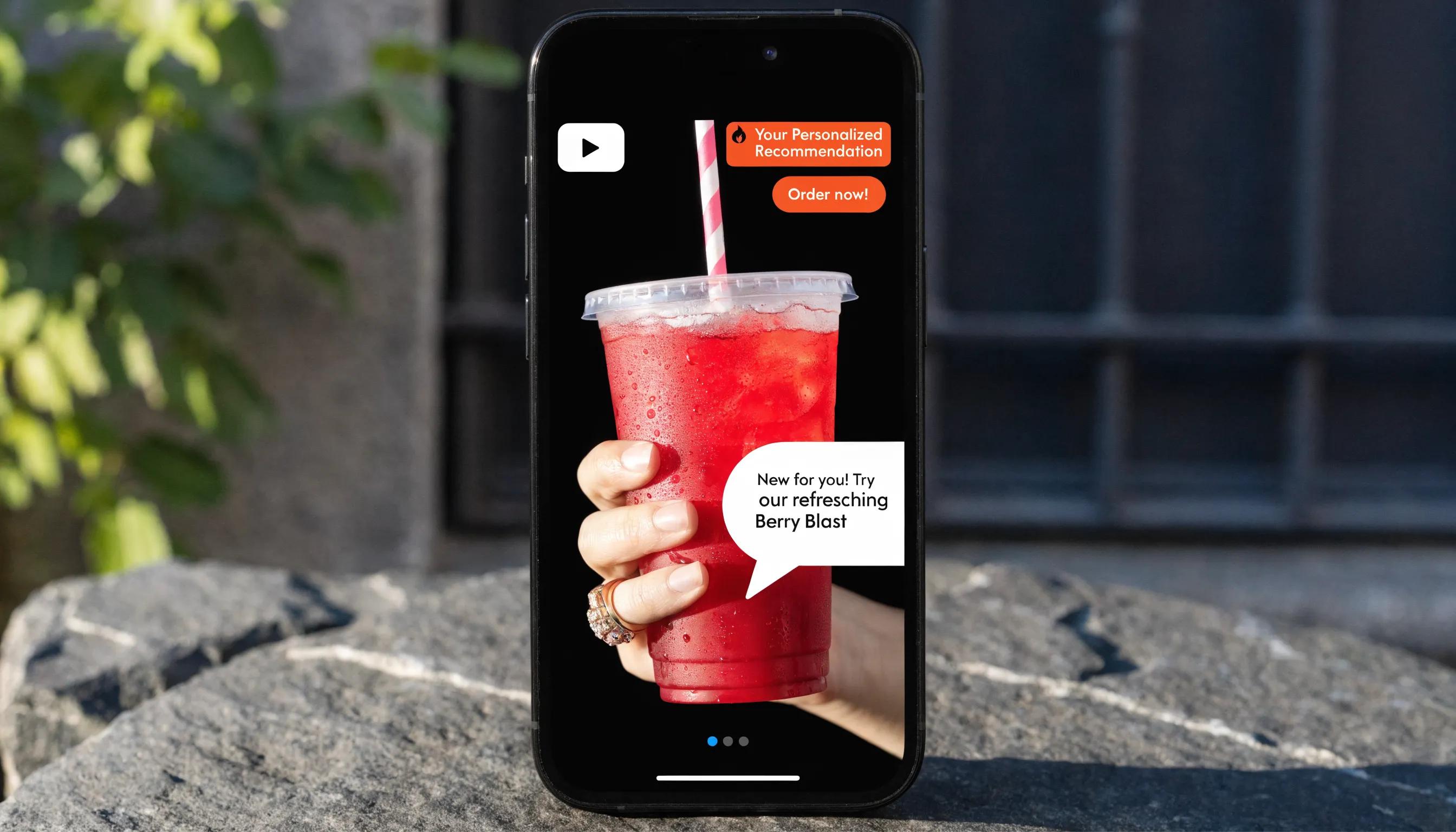
Personalizing and optimizing social videos improves lead generation. Techniques include:
- Dynamic Video Content: Use algorithms to create videos tailored to different audience segments, making messaging resonate more deeply.
- Compelling CTAs: Integrate strong calls to action within videos that encourage viewers to engage further, such as signing up for newsletters or exploring product offerings.
- A/B Testing: Regularly test different video variations to determine which formats and messages yield the highest engagement and conversion rates.
Applying these tactics can boost conversions and grow your audience.
How Do AI Video Workflows Increase Engagement and Generate Leads?
AI video workflows use technology to raise engagement and drive leads by:
- Personalized Content: AI tools analyze viewer preferences to create tailored content that resonates more with specific audiences.
- Data-Driven Decisions: AI analytics enable creators to understand viewer behavior better, which informs content strategy and improves effectiveness.
- Cost-effective Production: These workflows allow for rapid production, meaning brands can regularly release content without compromising quality, keeping audiences engaged over time.
Using AI workflows helps businesses connect with audiences more effectively, increasing engagement and conversions.
What Are Step-by-Step Best Practices to Build a Full AI Video Workflow Without Cameras?
Follow these step-by-step practices to build a complete AI video workflow without cameras:
- Define Your Objective: Clearly articulate what you wish to achieve with your video content.
- Select the Right Tools: Choose suitable platforms that facilitate scriptwriting, voice generation, and video editing.
- Create Compelling Scripts: Develop narratives that resonate with your target audience.
- Utilize Stock Footage: Leverage high-quality visuals from stock libraries to enhance your videos aesthetically.
- Implement Automation Features: Streamline processes using automation tools for video editing and publishing.
These steps enable efficient, high-quality video production without on-site filming.
What Tools and Visuals Support an End-to-End AI Video Production Process?
A complete AI video process depends on an integrated set of tools and visuals. Key components include:
- AI Video Creation Platforms: Tools like Syllaby offer integrated features throughout the video-making process, from scripting to editing.
- Voice Generation Software: Descript provides capabilities to create realistic voiceovers, enhancing the narrative quality of videos.
- Stock Footage Libraries: Resources like premium stock footage libraries supply high-quality visuals necessary for engaging video content.
Used together, these resources allow creators to produce professional content without large teams or budgets.
What Common Questions Arise About AI Video Workflow Automation Without Cameras?
Common questions about AI video workflows include:
- What are the limitations of faceless video AI generators?: While they can produce high-quality content, they may lack the emotional nuance of human interaction.
- Are there ethical considerations?: Users should be cautious about representation and accuracy in AI-generated content, ensuring that it adheres to industry standards and audience expectations.
Addressing these issues is essential for responsible AI video production.
What Are the Key Benefits and Limitations of Faceless Video Technology?
Faceless video technology offers clear benefits and some limitations that creators should consider:
- Benefits: Cost-effectiveness: Reduces the need for crew and complex setups, allowing for rapid content production.Accessibility: Makes video creation accessible to individuals who may not have on-camera experience or resources.
- Limitations: Emotional Nuance: Faceless videos may lack the personal touch and emotional engagement that a human presence can provide.Creativity Constraints: Reliance on AI can sometimes limit creative expression, as automation may not capture unique storytelling nuances.
Knowing these trade-offs helps creators make informed choices about faceless video production.
Frequently Asked Questions
1. What types of content can be created using AI video creation platforms?
AI platforms can produce promotional videos, tutorials, social media clips, and training materials. They automate scripting, voiceovers, and editing to serve diverse channels and audience needs.
2. How can automation in video production impact audience engagement?
Automation lets creators publish more content at consistent quality. Combined with AI-driven audience analysis, videos can be tailored to specific segments, increasing interaction and retention.
3. Are AI-generated voiceovers as effective as human voiceovers?
AI voiceovers often sound natural and engaging, but they may lack some emotional nuance. For projects needing a personal tone, pair AI voices with human narrators or adjust settings for greater expressiveness.
4. What are some common mistakes to avoid when creating videos with AI tools?
Common mistakes include weak scripts, overreliance on stock footage without narrative, skipping reviews, and poor SEO. Invest time in scripting, visual curation, and final checks to improve quality.
5. How does one choose the right AI video creation tool among so many available options?
Choose tools based on needs, budget, and required features. Evaluate ease of use, scalability, support, and functions like scriptwriting and voice generation. Trials and user reviews help compare options.
6. Can AI video creation be used for live streaming or real-time content production?
Most tools focus on pre-recorded content, though some are adding real-time features. AI can assist live streams with automated editing and engagement tools, but live production still benefits from human oversight.
7. How can data analytics improve AI video marketing strategies?
Data analytics reveal viewer behavior and engagement patterns. Use these insights to identify effective formats, refine messaging, and optimize future content to increase conversions and loyalty.
Conclusion
Adopting an automated AI video workflow streamlines content creation, reduces costs, and improves consistency through personalized content. Applying best practices and the right tools lets you unlock more value from your video marketing. Explore the featured platforms to elevate your production capabilities.