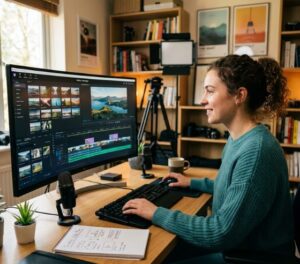







The Text to Scenes AI app converts written scripts into complete videos on mobile devices. It uses artificial intelligence to automate scene creation, character handling, and basic editing. The app targets content creators, marketers, and educators by reducing production time and simplifying the technical steps of video creation. The following content explains the app’s core capabilities, the user experience, and the benefits it provides compared with other AI video tools.
This technology represents a practical application of generative AI, as documented in recent research.
Generative AI for Text-to-Video Creation
Text-to-video (T2V) generation has emerged as a transformative capability within generative AI, enabling the production of realistic, temporally coherent videos. Generative AI for Text-to-Video Generation: Recent Advances and Future Directions, K Hayawi, 2026
Key Takeaways
- The Text to Scenes AI app converts written scripts into videos on mobile devices with automated workflows.
- Automatic scene generation reduces production time by creating scenes from script content.
- The app preserves character consistency to maintain a coherent narrative throughout a video.
- Users can adjust text overlays, background music, and visual styles to match branding and preferences.
- The mobile interface supports on-the-go editing and direct publishing to social platforms.
- Automation lowers production costs by reducing the need for specialist editing skills.
- Template prompts and idea discovery tools accelerate concept development for creators and marketers.
- Multi-language support and faceless video options expand the app’s applicability across global audiences.
- Structured data and AI workflows improve alignment between script and generated scenes.
Key Features and Functionality:

The Text to Scenes AI app includes automatic scene generation, character consistency, and customization options for text, music, and visual style.
- Automatic Scene Generation: The app automatically creates video scenes based on the script provided, significantly reducing the time required for video production.
- Character Consistency: It maintains character consistency throughout the video, ensuring that the narrative flows smoothly and coherently.
- Customization Options: Users can customize various elements of their videos, including text overlays, background music, and visual styles, to align with their branding or personal preferences.
| Feature | Description | Benefit |
|---|---|---|
| Automatic Scene Generation | Converts scripts into video scenes automatically | Saves time and effort in video production |
| Character Consistency | Ensures characters remain consistent throughout the video | Enhances narrative coherence |
| Customization Options | Allows users to modify text, music, and visuals | Personalizes videos to fit branding |
Together, these features provide a streamlined workflow that helps users produce professional-looking videos more quickly.
Overall User Experience:

The app presents an intuitive interface that guides users through script upload, scene generation, and basic editing. Controls are organised to reduce learning time for new users.
Processing speed allows many videos to be generated in minutes. The app provides options tailored to marketers, educators, and other creators, and its personalization settings improve relevance and viewer engagement.
What is the Text to Scenes AI App and How Does It Transform Scripts into Videos?
The Text to Scenes AI app is a platform that applies AI to convert written scripts into visual sequences. It identifies characters, settings, and actions in the text and maps those elements to generated scenes and assets.
The interface supports script input and configuration of transitions, audio, and visual style. This blend of automation and configurability enables users to produce polished videos without specialist editing skills.
How does the app use AI to convert written scripts into video scenes?
The app uses AI algorithms to parse scripts and detect components such as dialogue, actions, and scene descriptions. The parsed elements inform scene selection and sequencing.
After parsing, the AI generates scenes that reflect the script’s narrative and intent. Automated scene generation reduces manual editing and helps maintain a coherent visual story.
What Are the Key Features and Benefits of the Mobile AI Video Generator?
The mobile AI video generator provides features that address common production constraints for creators:
- Time Efficiency: The app significantly reduces the time required to produce videos, allowing users to focus on content creation rather than technical details.
- Cost-Effectiveness: By automating the video creation process, users can save on production costs typically associated with hiring professional videographers or editors.
- Scalability: The app can handle multiple projects simultaneously, making it ideal for marketers and businesses looking to produce a high volume of video content.
These capabilities make the Text to Scenes AI app suitable for organisations that need fast, repeatable video production.
How does automatic scene generation enhance video production speed?
Automatic scene generation removes manual setup for each shot, allowing scripts to be converted into sequences without extensive editing. This shortens the production timeline.
The app also supports integrations that streamline handoffs to other tools. Rapid iteration and quick refinements reduce delays common in traditional editing workflows.
In what ways does the app personalize video content for social media?
The app provides configurable text overlays, music libraries, and visual templates designed for social formats. Users can select settings that match platform requirements and audience preferences.
These personalization options help ensure videos perform well on different social channels by aligning format, tone, and visuals with viewer expectations.
Creating and publishing short social videos directly from mobile devices improves convenience, as reported by recent studies.
Mobile Text-to-Video for Social Media
Creating short social media videos via mobile devices increases convenience and speed. Sora as an agi world model? a complete survey on text-to-video generation, J Cho, 2024
How Can Content Creators and Marketers Use the Text to Scenes AI App Effectively?
Creators and marketers should apply clear planning and the app’s built-in tools to maximise results.
- Define Clear Objectives: Establishing clear goals for each video project helps guide the content creation process and ensures alignment with marketing strategies.
- Utilize Template Prompts: The app offers various templates that can streamline the video creation process, making it easier to produce consistent content.
- Incorporate Idea Discovery Tools: Using the app’s idea discovery features can help users generate fresh content ideas that resonate with their audience.
Following these practices helps users produce consistent, goal-aligned videos and reduces time spent on revisions.
What are common applications for social media video generation and lead generation?
The Text to Scenes AI app supports multiple use cases common to marketing and education.
- Promotional Videos: Businesses can create engaging promotional videos to showcase products or services, driving interest and conversions.
- Educational Content: Educators can produce informative videos that explain complex topics in an engaging manner, enhancing learning experiences.
- Lead Generation Campaigns: Marketers can develop targeted video content that captures leads through compelling calls to action and engaging narratives.
These use cases demonstrate the app’s adaptability for different content goals and audience needs.
How does mobile accessibility support on-the-go video editing and publishing?
Mobile access enables editing and publishing from any location, which benefits creators who need to produce or update content quickly.
The app’s interface is designed for touch workflows, enabling users to make edits, preview changes, and publish without a desktop. This mobility supports faster responses to trends and time-sensitive opportunities.
What Are the Pricing Plans and Subscription Options for the Text to Scenes AI App?
The app provides tiered pricing aligned to feature sets and usage levels so organisations can select an appropriate plan.
Free trials or demos may be available to evaluate functionality before committing to a subscription. These options let users test fit and performance relative to their budgets and objectives.
How does the Text to Scenes AI App Compare to Other AI Video Creation Tools?
When evaluating the app against alternatives, consider feature set, usability, and cost.
- Features Comparison: The app’s automatic scene generation and customization options set it apart from many competitors, which may not offer the same level of automation.
- Usability Differences: The intuitive interface of the Text to Scenes AI app enhances user experience, making it accessible for individuals with varying levels of technical expertise.
- Pricing Analysis: Competitive pricing structures make the app an attractive option for users looking for cost-effective video production solutions.
These factors illustrate the app’s practical advantages in a competitive market for AI video tools. For enquiries or support, use our contact page. Our team can assist with product questions and implementation guidance.
What unique advantages does Syllaby offer over competitors like Lumen5 and InVideo?
Syllaby distinguishes itself through faceless video production, AI-assisted script generation, and multi-language support.
- Faceless Video Creation: The app allows users to create videos without the need for on-camera talent, making it ideal for those who prefer a more streamlined approach.
- AI-Driven Script Generation: Users can benefit from AI-generated scripts that enhance creativity and reduce the time spent on content development.
- Multi-Language Support: The app’s ability to support multiple languages broadens its appeal to a global audience, making it a versatile tool for international content creators.
These capabilities position Syllaby as a practical choice for organisations seeking efficient, scalable video production.
How does the app integrate structured data and AI workflows for enhanced video automation?
The app uses structured data to inform scene selection and sequencing, improving alignment between script elements and generated visuals.
AI workflows automate repetitive tasks and enforce consistency across scenes, which reduces manual intervention and improves final output quality.
What Are the Latest Industry Trends and Case Studies Demonstrating AI Video Creation Success?
AI video creation continues to advance, with evidence showing personalised video increases engagement and conversion rates.
Case studies illustrate how businesses deploy AI video tools to scale content efforts and improve marketing outcomes. The Text to Scenes AI app is presented as a solution that supports these objectives through automated workflows and customisation options.
To review sector-specific applications and results, visit Syllaby Industries for examples and success stories.
Frequently Asked Questions
What types of videos can I create with the Text to Scenes AI app?
The app supports promotional videos, educational explainers, social media clips, and lead generation content. These formats cover common needs for marketing, training, and audience engagement.
Is the Text to Scenes AI app suitable for beginners with no video editing experience?
Yes. The interface guides users through script input and automated scene creation, while templates reduce the need for editing expertise. This makes the app accessible to beginners.
Can I use the Text to Scenes AI app for live events or real-time video creation?
The app is primarily for pre-produced videos. Users can prepare content in advance for live events, but real-time streaming and live editing typically require dedicated live-production tools.
How does the app ensure the quality of the generated videos?
The app combines script analysis, structured data, and AI workflows to maintain narrative coherence and visual consistency. Users can further refine outputs by adjusting text, audio, and visual settings.
What support options are available for users of the Text to Scenes AI app?
Support includes a help centre with tutorials and FAQs plus direct contact options for personalised assistance. These resources help users troubleshoot and optimise their workflow.
Are there any limitations on the length or complexity of scripts I can use?
The app handles a range of script lengths, but very long or highly complex scripts may require segmentation for best results. Shorter, clearer scripts generally lead to more effective scene generation.
Conclusion
The Text to Scenes AI app enables faster, more efficient video production by converting scripts into finished videos on mobile devices. Its automation, customization, and mobile accessibility make it suitable for teams and individuals seeking scalable content workflows. Evaluate the app with a trial or demo to determine how it fits your content strategy and production needs.
For details on plans and pricing, visit our pricing page to identify the option that matches your needs.